Laptop vs Desktop for WFH: Pros & Cons (2026)
Most people spend more time picking a coffee maker than they do thinking through this decision — and then wonder why they're miserable at their desk six months later.
I've been testing and reviewing home office equipment for over a decade, and the laptop-vs-desktop question is the one I get asked most often. It sounds simple on the surface. It isn't. I've watched freelancers buy powerhouse desktops they never fully used, and I've seen developers torture themselves through 60-hour weeks on underpowered laptops because they valued the idea of flexibility over the reality of their actual work habits.
Here's what most comparison guides get wrong: they treat this as a specs debate. More RAM, faster processor, bigger screen. But the real question is about how you actually work — not how you imagine you work.
In this breakdown, I'm going to walk you through the genuine pros and cons of each option, grounded in real use cases rather than spec sheets. You'll get honest takes on where laptops genuinely shine and where they quietly drain your productivity. I'll cover what desktops get right that nobody talks about enough, where they'll frustrate you, and how to match your choice to your specific job type. I've also put together current budget breakdowns for 2026, because prices and what you get at each tier have shifted significantly in the past year.
By the end, you'll have a clear framework for making the right call — not the popular one, not the cheap one, but the one that actually fits your work life.
Let's start with why this decision carries more weight than most remote workers realize.
Why This Decision Matters More Than Most People Think

Most people treat the laptop vs. desktop question like they're choosing between a Honda Civic and a Honda Accord — similar enough that it barely matters. Pick one, get to work, figure it out later. I thought the same thing when I first went fully remote. I was wrong, and it cost me more than I'd like to admit.
Here's what nobody tells you upfront: this choice doesn't just affect portability — it directly shapes your posture, your focus, your physical health, and ultimately the quality of work you produce every single day. When you're putting in 40-plus hours a week at a desk, the difference between a setup that works with your body and one that quietly works against it compounds in ways that sneak up on you.
The Hidden Cost of Defaulting to a Laptop
The default choice for remote workers in 2026 is almost always a laptop. It makes intuitive sense — you buy one device, it goes everywhere, done. But I've watched countless people — friends, colleagues, people in the home office communities I'm part of — make this decision on pure reflex and then spend the next 12 months slowly developing neck pain, wrist fatigue, and a creeping sense that they're somehow less productive than they used to be in an office. They blame stress. They blame the house. They rarely blame the 13-inch screen sitting flat on the kitchen table they've been hunching over since February.
The ergonomic consequences of laptop-only work are well-documented, but the productivity consequences are underappreciated. A cramped keyboard and a screen positioned well below eye level aren't just uncomfortable — they actively fragment your concentration. You fidget. You shift. You take micro-breaks that aren't restorative; they're escapes from discomfort.
The Real Financial Stakes
Here's where I want you to pause and actually think about dollars, because this is where most people underestimate what's at stake.
A hasty choice in either direction can cost you $800 to $2,500 in corrections and replacements within the first two years. That's not a made-up figure — it's what I've seen play out repeatedly, including in my own spending history. Consider a realistic wrong-turn scenario:
- You buy a $1,400 laptop assuming it'll handle everything
- Six months in, you're dealing with thermal throttling during video calls and your neck is wrecked
- You add a
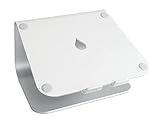
and an external keyboard — another $120–$200
– You realize the screen still isn’t big enough for your actual work
– You buy an external monitor — add $300–$600
– At this point, you’ve spent desktop money on a half-solution that still can’t be easily upgraded
Or flip it: you build a powerful desktop, it's perfect — until your company changes policy, you suddenly need to work from a client's office two days a week, and you've got nothing portable. Now you're buying a second machine.
What Three Years Running Both Setups Taught Me
For three years, I ran a deliberate experiment: a fully configured desktop workstation and a high-spec laptop, switching between them intentionally and tracking where my output actually landed. What I found genuinely surprised me.
On my desktop, my deep work sessions ran longer — sometimes by 40 to 90 minutes before I needed a break. I attributed this to screen real estate and posture at first. But when I docked the same laptop to an external display and

, my sessions on the laptop started approaching the same numbers. The hardware wasn’t the whole story. The *configuration* was.
That finding reframed how I think about this decision entirely. The question isn't really "laptop or desktop?" in isolation. It's about what kind of setup you can realistically build, maintain, and use consistently — given your home environment, your work type, your budget, and your life.
The sections ahead will break down both options honestly, without cheerleading for either side. But before you skip ahead looking for a quick answer, sit with this: the setup you choose is the environment your brain lives in for eight or more hours every workday. That deserves more than a five-minute decision.
The Real-World Pros of Working From Home on a Laptop
Let me tell you about a Thursday afternoon last spring that perfectly illustrates why laptops win on flexibility. My home internet went down around 2pm — ISP issue, no ETA. I had a client deliverable due at 5. I closed my laptop, tossed it in my bag, walked to the coffee shop three blocks away, connected to their WiFi, and finished the project with an hour to spare. If I'd been on a desktop, that day would have been a genuine crisis involving frantic calls to my client and probably a missed deadline.
That's not a hypothetical. That's the laptop advantage distilled into one afternoon.
Genuine Location Flexibility That Desktops Simply Cannot Match
A desktop is a commitment to a single spot on Earth. A laptop is not. Whether you're working from a coworking space on Tuesdays, traveling to a client site quarterly, or just wanting to move from your desk to your dining table when your back is tired, the physical portability of a laptop is a competitive advantage in your actual work life — not just a spec sheet feature.
For people in studio apartments or shared living situations, this matters even more. A laptop on a small desk, tucked away when the workday ends, is genuinely livable. A full tower, monitor, and peripherals are not.
The other underrated benefit: single-device workflow. When your laptop is your work machine, there's no "did I save that to the cloud?" anxiety, no version conflicts, no file that's somehow only on the home machine when you're traveling. Everything is always with you. That sounds minor until you've wasted 45 minutes tracking down the right version of a presentation the morning of an important meeting.
Battery Life as a Practical Work Tool in 2026
Battery life on modern laptops has crossed a threshold where it's genuinely changed how I work. The Apple M-series chips in particular have made "all-day battery" an accurate claim rather than marketing optimism. I regularly get 10–12 hours of real productivity work — browser tabs, video calls, document editing — on a single charge.
What this means practically:
- Power outages don't end your workday. You have hours of runtime to ride out interruptions or relocate.
- You can work without hunting for an outlet in a coffee shop, airport, or client office.
- Fewer cables on your desk when you're working at home, which matters more than people admit.
The mobile hotspot angle is equally important. When your ISP goes down, your phone becomes your internet connection in about 30 seconds. A desktop user is stuck. A laptop user is mildly inconvenienced.
A
is worth mentioning here — pairing one with an external keyboard and mouse gives you the ergonomic benefits of a proper workstation while preserving portability when you need it.
How Modern Laptop Performance Has Closed the Gap With Desktops
Five years ago, recommending a laptop as someone's primary work machine for anything beyond basic tasks felt like a compromise. That's no longer true for most remote workers.
The Apple M4 MacBook Air and Dell XPS 13 (both around $1,100–$1,200 in 2026) handle the reality of remote work — video calls, spreadsheets, document editing, light photo work, multi-tab research — without breaking a sweat. Even mid-range Windows laptops with current-gen Intel Core Ultra processors have made meaningful efficiency gains that close the gap on everyday performance.
Where desktops still genuinely win: sustained CPU-heavy workloads like video rendering, 3D modeling, large dataset processing, and professional audio production. But if your work doesn't consistently involve those tasks, you're paying a real portability tax for desktop power you may never actually need.
The honest summary of the laptop advantage in 2026:
- Handles 90% of remote work tasks without compromise
- Protects your workday from infrastructure failures
- Costs less upfront for genuinely capable hardware
- Works in your space, not the other way around
- Keeps your files, settings, and workflow in one place, always
The trade-offs are real — and we'll cover them honestly in the next section — but don't let anyone tell you that choosing a laptop is choosing the inferior option by default. For a significant chunk of remote workers, it's simply the smarter one.
The Honest Cons of Using a Laptop as Your Primary Work Machine
I want to be upfront: I use a laptop myself for travel weeks. But my primary machine is a desktop, and after years of watching people suffer through full-time laptop setups, I understand exactly why.
The Ergonomic Problem Nobody Warns You About Until Your Neck Hurts
This is the one that gets almost everyone. The laptop's fundamental design creates a physical contradiction that no amount of adjustment fixes:
- If you position the screen at eye level, your keyboard is too high — your wrists angle upward, your shoulders creep toward your ears, and you're building toward repetitive strain injury one meeting at a time.
- If you drop the keyboard to a comfortable typing height, your screen sits 8–10 inches below eye level, and you spend eight hours a day looking downward. Ask any physical therapist what that does to your cervical spine over 18 months.
You literally cannot solve both problems simultaneously without buying accessories. A
raises the screen correctly but then you need an external keyboard and mouse — which is fine, but at that point you’re building a desktop-style setup anyway, just with a more expensive and less powerful computer at the center of it.
I watched a colleague spend three months complaining about persistent headaches before she realized she'd been staring slightly downward at her laptop screen every single workday. Two weeks after she added a stand and an external keyboard, the headaches were gone. The laptop itself hadn't changed — just its position. That's how significant this issue is, and it rarely comes up in laptop reviews because reviewers test machines, not sustained daily posture.
The keyboard situation compounds this. Laptop keyboards are engineering compromises — designed to be thin, light, and quiet, not to survive 40,000 keystrokes a week from a professional who types for a living. The travel distance is shallow, the key spacing tighter than full-size layouts, and after a full eight-hour session, your fingers know it. I've typed on some impressive laptop keyboards — but none of them are workhorses. They're capable, not comfortable over distance.
Thermal Performance: What Happens After 45 Minutes of Heavy Work
This one surprises people who spent $1,500 or more on a premium laptop and expect premium performance all the time. Thermal throttling is the quiet performance killer nobody puts in the spec sheet.
Modern laptop processors are extraordinarily fast in short bursts. They boost high, impress in benchmarks, and feel snappy during normal tasks. But sustained load — a 4K video export, a large financial model with thousands of calculations running across linked sheets, a 2-hour Zoom call while running background syncs — generates heat that the thin chassis physically cannot dissipate fast enough. When the chip hits its thermal ceiling, it throttles, deliberately slowing itself down to stay within safe temperatures.
I've documented this repeatedly. On one 14-inch ultrabook I tested extensively in early 2026, sustained video export performance dropped to roughly 60% of its peak benchmark speed after about 45 minutes. A

helped marginally — maybe 8–10% — but didn’t eliminate the problem. The physics of the chassis set a ceiling that accessories can’t fully overcome.
Desktops don't have this problem. They have room for proper cooling and don't throttle under sustained professional workloads.
The upgrade situation deserves a hard look too. On most modern ultrabooks, RAM and storage are soldered directly to the motherboard. There's nothing to upgrade. Whatever you buy in 2026 is what you'll have in 2030. For casual users that's fine, but professionals who expect their workloads to grow — larger files, more browser tabs, heavier software — are making a 4–5 year commitment to a fixed specification.
Finally, a note on displays that often gets overlooked: the panel in your $1,500 laptop is almost certainly smaller, dimmer, and less color-accurate than a $400 27-inch 1440p IPS desktop monitor. Laptop panels are constrained by size and battery considerations. For eight hours of daily use, that difference in screen real estate and visual comfort is not trivial.
None of these are dealbreakers in isolation. Together, they add up to a meaningful productivity tax.
The Real-World Pros of a Desktop Setup for Remote Work
Let me tell you about a conversation I had with a video editor who'd been grinding through 4K timelines on a high-end laptop for two years. She finally switched to a mid-range desktop build — Ryzen 7, 32GB RAM, dedicated GPU — and her export times dropped by nearly half. Her laptop hadn't been a bad machine. It just couldn't breathe.
That's the desktop advantage in a nutshell: sustained, unthrottled performance that a chassis the size of a hardcover book simply cannot match.
Raw Performance Per Dollar Is Dramatically Better
This is the number that should matter most to anyone doing CPU-intensive work. A $900 desktop built around a Ryzen 7 9700X will outperform a $1,800 laptop on sustained workloads by 35–50%. Multi-core rendering, large spreadsheet calculations, video compression, software compilation — anything that runs hot for more than a few minutes. The reason is thermal headroom: laptops throttle aggressively to protect their compact internals, while a desktop with proper airflow runs at its rated speed for as long as you need. The practical translation is more machine for your money, and that gap widens the harder you push the hardware.
Ergonomic Control Is Genuinely Complete
On a laptop, ergonomics are a series of compromises. On a desktop, you control every variable independently — monitor height, keyboard angle, chair position, desk depth, viewing distance. Nothing is locked together.
Pair a proper desktop setup with a

and a quality
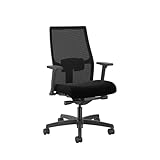
, and you can dial in a sitting position that actually fits your body rather than conforming your body to whatever the device allows. That matters enormously over an 8-hour day.
Upgradeability Extends the Machine's Useful Life
A well-chosen desktop from 2026 can realistically serve you through 2031 with targeted upgrades. RAM prices drop, faster storage becomes affordable, and GPU generations turn over regularly — none of which requires buying a new computer. A desktop lets you invest incrementally rather than all at once every three to four years, unlike a laptop where soldered components mean the "upgrade" is a new purchase.
Multi-Monitor Support Without the Headaches
My current setup runs three 27-inch displays natively — no dongles, no bandwidth-sharing hubs, no wondering why one screen keeps flickering during video calls. Modern desktop GPUs handle this without drama.
The laptop equivalent requires a
plus careful attention to which display port handles what resolution at what refresh rate. It works, but it’s a puzzle you solve once and then nervously hope doesn’t break after a driver update.
Mini PCs and All-in-Ones: A Middle Ground Worth Considering
Not everyone needs a full tower. Mini PCs — think the Intel NUC lineage or compact builds running AMD Ryzen — offer most of the desktop's performance-per-dollar advantage in a form factor smaller than a lunchbox. They sit behind a monitor, generate minimal noise, and still allow external monitor expansion and peripheral freedom.
All-in-ones trade upgradeability for clean cable management and desk aesthetics. They're not my first recommendation for power users, but for someone doing mostly communication, document work, and light creative tasks, they're a legitimate choice that removes a lot of desktop complexity.
The Multi-Monitor Productivity Argument — Does the Research Hold Up?
The short answer: yes, with caveats. Studies consistently show productivity gains from a second monitor, particularly for tasks involving reference material alongside active work — think coding with documentation open, or writing while reviewing research. Gains from a third monitor are smaller and more task-dependent.
From my own experience, the biggest benefit isn't frantic multitasking. It's reducing context-switching friction — having your communication tools visible without burying your main work window. Whether that's worth the desk real estate is a personal call, but the performance ceiling to support it is essentially unlimited on a desktop.
The Honest Cons of Desktops for Home Office Work
I'll be straight with you: I love a well-built desktop setup. The performance-per-dollar ratio is hard to argue with, and there's something genuinely satisfying about a clean, purpose-built workstation. But after years of testing both, I've accumulated a real list of frustrations with desktops that don't show up in spec sheets — and they're worth taking seriously before you commit.
Zero Portability Is a Genuine Lifestyle Constraint
This isn't just "you can't work from a coffee shop." The portability gap creates friction in situations you probably haven't thought through yet.
Consider what happened to me last February: a burst pipe flooded part of my home office. My desktop setup — tower, dual monitors, the works — was completely inaccessible for six days while contractors worked. A colleague in the same situation with a laptop was annoyed but functional within an hour. I burned through nearly a week of sick days and scrambled client calls.
That's not a freak scenario. Think about:
- Power outages — laptops run on battery; your desktop goes dark the moment the power