Best Under Desk Treadmill for Working From Home 2026
Here's a number that genuinely shocked me when I first read it: the average remote worker sits for over 10 hours a day. Not 10 hours of work — 10 hours of barely moving, back curved, hip flexors slowly tightening into steel cables. I know because I was that person. Two years ago, my step count on a typical workday hovered around 800 steps. I'd finish a full day of calls and deep-focus writing sessions having moved approximately as much as a houseplant.
That's what pushed me to try an under desk treadmill. And honestly? I was skeptical to the point of embarrassment. The thing looked like a gimmick, it cost as much as a decent monitor, and I had serious doubts I could type coherently while walking.
After testing more than a dozen models over the past 18 months — everything from $300 bare-bones units to $1,200 premium machines — I've built a clear picture of what actually works, what's marketing fluff, and what nobody tells you before you buy one.
This guide covers everything I wish I'd known from the start: how these machines differ from standard treadmills, how to set up your workspace so the thing doesn't become an expensive clothes hanger, which models are worth your money in 2026, and the honest truth about health benefits versus overhyped claims.
If you're a remote worker wondering whether an under desk treadmill is a genuine productivity tool or an elaborate way to feel better about sitting all day — this is the guide for you.
Why I Started Using an Under Desk Treadmill (And What Actually Happened)

I didn't buy an under desk treadmill because I was trying to get fit. I bought one because by 3:30 PM every day, I felt like my brain had been replaced with wet concrete.
After two years of fully remote work, I'd settled into a routine that looked productive on paper but was quietly wrecking me. I'd sit down at 8 AM, barely move until noon, eat lunch at my desk, and then spend the afternoon fighting a fog that no amount of coffee could cut through. My lower back had developed a persistent ache that my chiropractor politely described as "classic desk worker deterioration." I'd gained about 11 pounds without changing what I ate. The worst part? I didn't realize how bad things had gotten until I started tracking my steps and discovered I was averaging 1,200 on workdays — roughly the activity level of someone who is bedridden.
The Problem Was More Systemic Than I Thought
The sedentary WFH lifestyle has a compounding effect that's easy to miss because it creeps up slowly. When you commute, you walk to your car, through a parking garage, to your office, to meetings. Those micro-movements add up. At home, I walk from my bedroom to my office — about 14 steps — and that's frequently the most movement I get before noon. Prolonged sitting doesn't just affect your body; it actively degrades cognitive performance, which explains the mental fog that hits like clockwork after four or five consecutive hours of being sedentary.
I'd already tried a

, and it helped with the back pain somewhat, but standing still isn’t actually that much better than sitting still. I’d stand for 20 minutes, feel virtuous, then sit back down. What I needed was *movement*, not just a different static position.
My Honest First 30 Days
The first thing that surprised me was the learning curve with typing. I assumed walking at 1.5 mph while typing emails would be seamless. It was not. The first week, my typing accuracy dropped noticeably — errors I'd never normally make, sloppy mouse control. I kept the speed at 1.2 mph while my body and brain figured out the coordination. By week two, it clicked, and now I don't think about it at all.
The second surprise was noise. I'd read that under desk treadmills were quiet, and compared to a gym treadmill, they are. But "quiet" is relative. At 1.5–2 mph, there's a consistent low motor hum plus the rhythmic sound of footfall on the belt that absolutely travels through the floor. My downstairs neighbor mentioned it after three days. An anti-fatigue mat underneath the unit helped considerably, but it's something to plan for if you live in an apartment.
What genuinely improved faster than I expected: the afternoon energy crash essentially disappeared by week three. The 3:30 PM concrete-brain feeling that had defined my afternoons for two years was just gone. I was also sleeping better, which I didn't anticipate. And the back pain, while not completely resolved, dropped from a persistent ache to an occasional reminder.
What I got wrong initially: I tried to walk during everything, including calls where I needed to think carefully. Start with your most passive work — reading, simple emails, async video watching — and build from there.
Who This Actually Makes Sense For
Based on my experience and conversations with other remote workers who've made the switch, an under desk treadmill tends to genuinely benefit:
- Deep-focus solo workers — writers, coders, analysts, and researchers who spend hours in heads-down work
- People already using a standing desk who've realized static standing isn't enough
- Remote workers with calendar gaps — even 45-minute walking blocks between meetings add up significantly
It's probably not the right fit for people whose jobs are dominated by video calls, because walking introduces subtle visual movement that cameras pick up. If your day is back-to-back Zoom calls, this tool will spend most of its life as an expensive floor decoration.
How Under Desk Treadmills Actually Work (And Why They're Different From Regular Treadmills)
The first time I stood on an under desk treadmill, my instinct was to grab for handrails that weren't there. That's the moment it clicks — this is a fundamentally different piece of equipment, not a gym treadmill with the handles cut off.
Understanding the design philosophy helps you buy smarter and use it better from day one.
The "Walking, Not Running" Design Philosophy
Under desk treadmills are engineered around a specific concept called NEAT — Non-Exercise Activity Thermogenesis. That's the calories your body burns through low-intensity movement throughout the day, separate from dedicated workouts. The goal isn't to get your heart rate into a cardio zone. It's to stop being completely stationary for eight hours.
This shapes everything about how these machines are built:
- Speed caps typically range from 0.5 to 4 mph — most people settle into 1.5–2.5 mph during focused work
- Deck length runs shorter than gym treadmills, usually 40 to 55 inches versus the 60-inch standard on running machines
- Incline is almost never included, because elevation changes your posture and center of gravity in ways that interfere with typing and screen focus
- Motor wattage is lower, since continuous slow walking puts very different stress on a drivetrain than sprint intervals
That 40-inch versus 48-inch deck difference matters more than most buyers realize. At a natural walking pace of around 2 mph, my stride length runs about 26–28 inches. On a shorter deck, I consistently found myself subconsciously shortening my stride to stay centered, which creates a shuffling gait that gets tiring over a long session. If you're taller than about 5'9", treat a 48-inch deck as a minimum rather than a nice-to-have.
Weight capacity is another spec worth checking beyond the headline number. Most under desk treadmills list 220–265 lbs as their limit, but that's a static rating. Dynamic load during walking adds stress — budget belts can start slipping and degrading noticeably within six months when used near their stated limits.
Noise Levels: The Real Daily Living Factor
At 2 mph, a quality under desk treadmill produces roughly 45–55 decibels — comparable to a quiet conversation. Bump to 3.5 mph and you're often looking at 62–68 dB, which starts becoming disruptive in apartments or shared home offices.
Belt quality drives a large portion of that noise. Thinner, single-layer belts slap against the deck more audibly than multi-layer cushioned belts. My first cheap treadmill sounded like someone slowly dragging furniture — my neighbor knocked during a video call, not because of my voice but because of the noise. Better machines use lubricated, multi-ply belts that absorb significantly more impact noise. Pair a quality belt with a rubber anti-vibration mat under the unit and you eliminate most sound transmission through floors. A

under your workspace also helps dampen secondary vibrations that travel up your desk legs.
Motor Types: DC vs. AC Motors and What That Means for Long Daily Use
DC motors are standard in most consumer under desk treadmills. They're cheaper to manufacture, quieter at low speeds, and work well for the 1–2 hour walking sessions most people do. The drawback is heat buildup — DC motors can overheat during extended continuous use, which is why many manufacturers build in automatic shutoff timers at 30 or 60 minutes.
AC motors run cooler, handle continuous operation better, and tend to last significantly longer under daily use. They're less common in this category because they cost more and add weight, but if you're planning true all-day use — 4–6 hours of cumulative walking — an AC motor is worth the price premium. Think of it like the difference between a car engine designed for highway driving versus one optimized for short city trips.
Control Options: Handrail Consoles, Remote Controls, and App Integration in 2026
Since most under desk treadmills don't have handrails, controls have evolved accordingly:
- Remote controls are the most common — a small wand you can drop on your desk to adjust speed without breaking stride
- App integration has become standard on mid-range and premium models in 2026, letting you track daily step counts, set session goals, and schedule walking intervals
- Desk-mounted consoles exist on some models but require a compatible standing desk setup — check compatibility before you buy
- Foot-tap controls appear on newer models, letting you adjust speed by tapping the belt edge, which is genuinely useful for hands-free adjustments during calls
The remote control sounds trivial until you've tried nudging speed during a deep focus session. Having one-touch control on your desk surface, rather than bending to a panel, actually changes your usage habits meaningfully.
Setting Up Your Under Desk Treadmill Workspace the Right Way
Getting the treadmill itself is the easy part. Setting up the workspace around it so it actually functions — that's where most people stumble. I've seen setups that looked great on paper fall apart because of a desk that was 3 inches too short, or a monitor that sat too low and turned every walking session into a neck-strain experiment.
Here's how to get this right before you spend a dollar on equipment.
Standing Desk Compatibility: Fixed-Height Desks, Converter Units, and What Doesn't Work
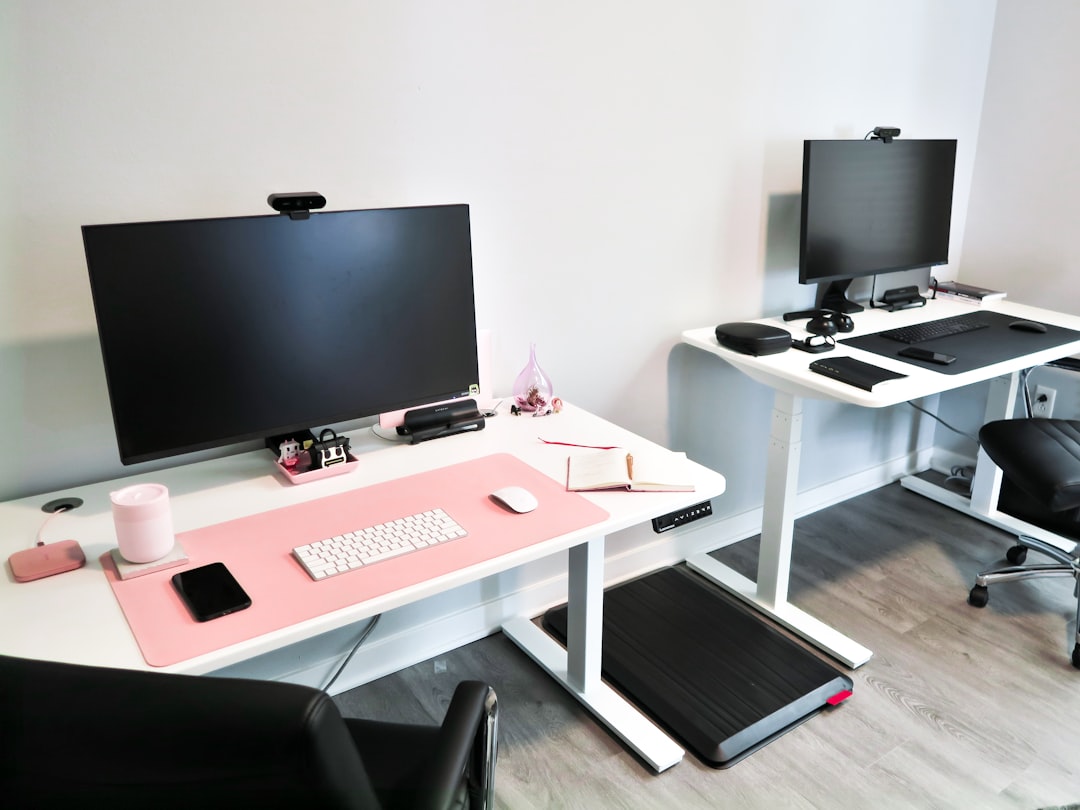
This is the non-negotiable starting point: your desk surface needs to reach at least 45–47 inches from the floor when you're using an under desk treadmill. Most walking pads elevate you somewhere between 4 and 6 inches off the ground. If your standing desk maxes out at 42 inches — common even on quality models — you're working at what amounts to a crouching position. I made this exact mistake with my first setup and spent two weeks wondering why my shoulders ached before I finally measured properly.
Before buying anything, check your desk's maximum height rating, not the comfortable standing height you normally use. That's a different number.
- Motorized sit-stand desks
: Most quality models reach 48–50 inches, which gives plenty of room. Check the spec sheet specifically.
– **Fixed-height standing desks**: Almost always a dead end. At a standard 36-inch fixed height, even adding a 6-inch treadmill platform puts you at 42 inches — still too low for most people over 5’6″.
– **Desktop converter units**: These can work, but they add complexity. You’re already elevated on the treadmill; stacking a converter on a regular desk can push your monitor so high it creates its own problems.
The honest advice: if your current desk doesn't reach 45 inches, don't try to hack around it. Either upgrade the desk or wait.
Flooring Protection You Absolutely Cannot Skip
Use a mat of at least 6mm thick rubber underneath your treadmill, full stop. I tested thinner foam mats and anti-fatigue mats that seemed fine at first — within three weeks on hardwood, I had scuff marks and the treadmill was vibrating noticeably more because it had nothing solid anchoring it.
The considerations differ by surface:
- Hardwood and LVP flooring: Vibration transfers directly into the floor and into nearby furniture. A dense rubber mat (not foam) absorbs this — think equipment mats designed for gym treadmills, not yoga mats.
- Carpet: You get natural cushioning, but thick carpet can cause stability problems — the treadmill rocks slightly, which is disorienting above 2 mph. A rigid mat over carpet solves this.
- Concrete (basement offices): The least forgiving surface acoustically. Double up on mat thickness or look for mats rated specifically for noise dampening.
Ergonomic Positioning While Walking
Your ergonomics shift when you're moving. The key adjustment most people miss: your eyes should align with the top third of your monitor screen, not the center. Walking slightly lowers your natural sightline compared to standing still, so what felt like perfect monitor height motionless will have you looking slightly downward while walking. Raise the monitor an inch or two, or use a

to dial this in without guesswork.
For your keyboard, reduce the negative tilt (the backward slope) compared to your standard standing position. When walking, your wrists want to be flatter. Even a small adjustment here prevents cumulative fatigue during longer sessions.
Cable Management: The Underrated Problem
This one bit me hard. I had my USB hub neatly routed along the desk frame, taut and tidy — until the treadmill vibration gradually worked the cable toward the edge, and mid-meeting, my entire hub disconnected when it finally got yanked free. Embarrassing and preventable.
The rule with treadmill setups: every cable needs deliberate slack. Vibration travels up desk legs and into the surface continuously. Give each cable 4–6 extra inches of loop before it reaches its port.
The Dual-Mode Setup: Organizing Your Space to Switch Between Sitting, Standing, and Walking
The goal is friction-free transitions. If switching to walking mode requires five minutes of rearranging, you simply won't do it consistently.
What actually works:
- Park the treadmill slightly back from your centered desk position when not in use — just 6 inches makes it feel less intrusive when sitting
- Keep your keyboard and mouse positions consistent across all three modes; moving them resets your muscle memory every time
- Mark your monitor heights for each mode with a small piece of tape on the desk column — low-tech, but it eliminates guesswork when re-dialing heights multiple times daily
The Best Under Desk Treadmills in 2026: Honest Comparisons Across Budget Tiers
There is no perfect under desk treadmill. Every model involves tradeoffs, and the right one depends heavily on how long you'll actually walk each day, how much floor space you're working with, and whether you're 140 lbs or 220 lbs. Here's how the market breaks down right now.
Budget Tier ($200–$400): WalkingPad A1 Pro and LifePro REVO
These two show up constantly in "best budget" roundups, and both are genuinely usable — with caveats.
The WalkingPad A1 Pro has a cult following for a reason: it's compact, folds into an L-shape that slides under most couches, and the build quality feels better than the price suggests. But the belt is only about 16 inches wide and the deck is on the shorter side, which becomes a problem if you're taller than 5'10" or tend to walk with a longer stride. The stated weight limit is 220 lbs, but the comfortable sustained-use maximum is closer to 185 lbs — manufacturers tend to list the structural maximum.
The LifePro REVO undercuts the WalkingPad on price and shows it. The belt feel is noticeably firmer, vibration transfer is higher, and the maximum continuous use time is rated at 30–40 minutes before the motor needs a cooldown. That's a real limitation if you're planning to walk through long meetings.
Who budget treadmills are fine for: someone under 185 lbs who plans to walk 1–2 hours per day maximum, has limited storage space, and wants to try the concept before committing more money.
Mid-Range Tier ($400–$700): LifeSpan TR1200-DT and Flexispot Walking Pad
This is where most work-from-home users should land, and the quality gap over the budget tier is meaningful, not marginal.
The LifeSpan TR1200-DT has been a workhorse in this category for years. The deck is longer (about 20 inches wide, 50+ inches long), which makes walking feel natural rather than constrained. The motor is quieter — noticeably so on video calls — and LifeSpan backs it with a 2-year motor warranty, which I treat as a minimum threshold for any treadmill recommendation. It also tracks steps, calories, and distance with app sync.
The Flexispot Walking Pad is the newer contender worth watching. It handles weight capacity more honestly (rated to 265 lbs with a motor that actually supports sustained use at that load) and the belt cushioning is softer than anything in the budget tier. If you're pairing this with a
, the height compatibility tends to work out well for most desk configurations.
Premium Tier ($700–$1,200): NordicTrack Treadmill Desk and Urevo 2-in-1 Pro
Honest take: most WFH users don't need these. The NordicTrack and Urevo 2-in-1 Pro justify their price if you're walking 4+ hours daily or if a physician has specifically recommended sustained low-impact movement for a health condition. The motors are built for that continuous duty cycle, the decks are full-length, the warranties are stronger, and the vibration dampening is genuinely superior.
A colleague with a standing order from her physical therapist to keep moving after a disc injury went with the NordicTrack — it made sense for her. For someone walking 45 minutes a day between calls, it does not.
Foldable vs. Non-Foldable: Storage Reality in Real Apartments and Home Offices
Foldable sounds like a clear win until you're actually folding and unfolding it daily. Most foldable models in the budget tier weigh 55–65 lbs — they're not light. Many people buy foldable treadmills planning to store them vertically in a closet and end up leaving them permanently unfolded because the process is too annoying. If you have the floor space, non-foldable models tend to have sturdier frames. Foldable is the right call only if storage is genuinely non-negotiable.
What the Spec Sheet Won't Tell You: Belt Feel, Vibration Transfer, and Long-Term Durability Red Flags
Three things I always look for that manufacturers don't highlight:
- Belt thickness: Anything under 1.5mm feels noticeably harder underfoot after 30+ minutes. Look for 2mm or thicker.
- Vibration transfer: Check user reviews specifically mentioning flooring type. High vibration on hard floors is a noise complaint waiting to happen.
- Roller diameter: Larger rollers (40mm+) reduce belt wear significantly over time. Small rollers are the most common reason budget treadmills start slipping at the 18-month mark.
Pair your treadmill setup with a quality
under your chair area — it helps define the workspace and reduces the visual chaos of having fitness equipment mid-office.
What Tasks You Can (and Can't) Actually Do While Walking
Not all knowledge work is created equal when your legs are moving. I spent the first two weeks of treadmill ownership trying to do everything while walking, and I paid for that hubris in typos, missed spreadsheet cells, and at least one video call where I looked like I was trying to escape something.
What Actually Works Well at 1.5–2.5 mph
The sweet spot for most cognitive tasks is 1.5 to 2 mph. At that pace, your body is doing just enough to boost circulation and energy without pulling meaningful cognitive resources away from your work. These tasks genuinely hold up:
- Reading and reviewing emails — probably the single best walking task; passive reading requires almost no motor coordination
- Audio-only calls — listening, processing, and responding verbally all work fine; your voice stays steady and your thinking stays sharp
- Slack and Teams messaging — short bursts of typing at a relaxed pace, no problem
- Document review and annotation — scrolling through PDFs, leaving comments, reading reports
- Brainstorming sessions — walking actually helps here; research consistently shows mild physical activity enhances divergent thinking
The cognitive load research backs this up. Studies show that walking at speeds under 2 mph doesn't meaningfully impair most executive function tasks. Personal caveat: complex writing — the kind where you're constructing an argument, not just transcribing thoughts — is genuinely harder for me while moving. My sentences get choppier, my paragraph structure gets lazy. For that work, I sit.
What Degrades at Walking Speed
Be honest with yourself about these:
- Precision spreadsheet work — clicking specific cells while walking introduces small but real errors; I once accidentally deleted a column I meant to sort
- Graphic design and fine mouse control — any task requiring pixel-level accuracy suffers; a
Similar Posts
Best Standing Desk Converter for Small Spaces (2026)
Why Standing Desk Converters Are Ideal for Small Spaces If you’re working with limited square footage, a standing desk converter offers a smarter solution than replacing your entire desk setup. These compact units transform your existing workspace into a height-adjustable station without the commitment or footprint of a full standing desk. Keep Your Current Desk…
Best Wireless Earbuds for All Day Calls (2026 Guide)
Introduction I'll be honest: before working from home became my daily reality, I never thought much about earbuds beyond "do they sound good?" But after three years of back-to-back Zoom calls and a persistent case of ear fatigue that left my cartilage feeling like I'd been wearing vice grips, I learned the hard way that…
NVMe vs SATA External SSD Speed: Real-World Comparison 2026
Introduction: The External SSD Speed Debate I've watched countless people drop $200+ on a blazing-fast NVMe external SSD, expecting to transform their workflow with advertised speeds of 3,000 MB/s or higher. Then comes the reality check: they plug it in, run a real-world test, and discover their "super-fast" drive is transferring files at speeds barely…