Programmable Macro Pad for Office Shortcuts Guide 2026
Why Macro Pads Are Essential for Office Productivity in 2026
If you’re like most office workers, you’re probably hitting the same keyboard shortcuts dozens of times every day. Research shows the average office worker performs between 50-100 repetitive keyboard combinations daily—that’s 30-45 minutes of accumulated time spent just pressing keys. Those minutes add up fast, and a macro pad can get that time back.
The Hidden Cost of Repetitive Shortcuts
Think about how many times you copy-paste, switch between applications, or format text in a typical workday. Now imagine eliminating those multi-key gymnastics. Complex combinations like Ctrl+Alt+Shift+V might not seem like much individually, but they create repetitive strain on your hands and wrists over time. A programmable macro pad turns those awkward finger stretches into single button presses.
What Makes Macro Pads Different
You might wonder: isn’t this just a small keyboard? Not quite. Unlike full programmable keyboards, macro pads are compact devices with 6-25 keys designed specifically for custom shortcuts. They sit beside your regular keyboard, giving you dedicated buttons for your most-used commands.
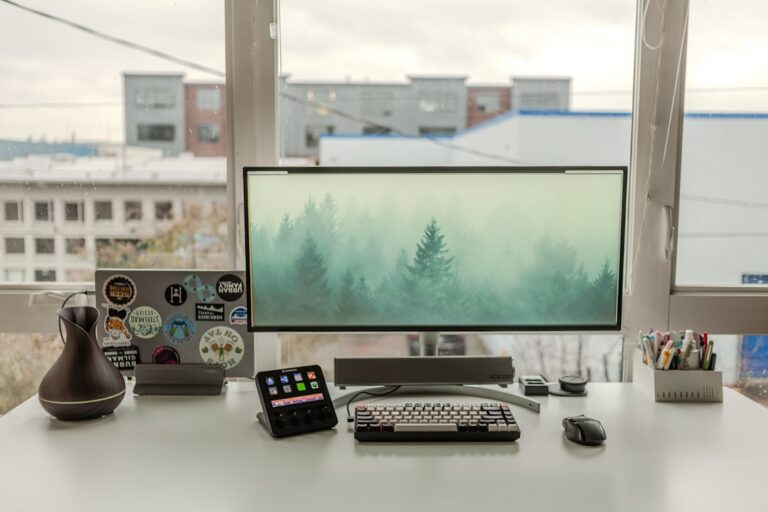
Stream decks are similar, but they’re built primarily for content creators and broadcasters. Macro pads focus on productivity workflows and typically cost less—you’ll find quality options between $50-150, while stream decks often start at $150 and go up from there.
The 2026 Advantage: AI Integration
Here’s where things get interesting. Modern macro pads now integrate seamlessly with AI assistants and workflow automation tools that have become standard in 2026. The Keychron Q0 Plus and similar devices can trigger complex AI workflows with a single press—summarizing documents, generating reports, or launching multi-step automation sequences that would normally take several minutes of clicking around.
Does It Actually Pay for Itself?
Let’s do the math. If you save even 20 minutes per day, that’s 83 hours per year. At an average professional salary, a $100 macro pad typically pays for itself within 2-3 months through pure time savings. That doesn’t even account for the reduction in hand strain or the mental energy saved from not remembering complicated key combinations.
Who Benefits Most?
While anyone can use a macro pad, certain professionals see the biggest gains:
- Data analysts who constantly filter, sort, and format spreadsheets
- Video editors who need quick access to cut, trim, and effect commands
- Programmers who frequently refactor code and navigate between files
- Accountants managing complex Excel formulas and reports
- Administrative professionals juggling multiple software applications
The Elgato Stream Deck Mini has become popular in office settings specifically because it bridges the gap between traditional macro pads and visual workflow management.
If you’re performing the same shortcuts repeatedly throughout your day, you’re working harder than necessary. A macro pad isn’t just a gadget—it’s a practical tool that reduces strain and gives you back time for actual productive work.