LED Panel Light vs Ring Light for Streaming: Which Is Better?
Introduction: Choosing the Right Lighting for Your Stream
Here's something most streamers learn the hard way: you can drop $500 on a fancy
Check Price on Amazon →
, but if your lighting is terrible, you’ll still look like you’re broadcasting from a cave. I’ve reviewed dozens of streaming setups, and the pattern is undeniable—good lighting transforms mediocre cameras into professional-looking streams, while even the best cameras struggle in poor lighting conditions.
The math is simple: your camera can only work with the light it receives. No amount of sensor quality or lens sharpness can compensate for harsh shadows, unflattering overhead lighting, or that washed-out look from your monitor being your only light source at 2 AM.
Why LED Panels and Ring Lights Aren't Interchangeable
This is where things get interesting. Most beginners assume lighting is lighting—just buy something bright and call it done. But LED panel lights and ring lights are fundamentally different tools designed for different jobs.
A

Check Price on Amazon →
creates that signature catch light in your eyes and provides soft, shadow-free illumination from a single direction. It’s why beauty vloggers and close-up content creators swear by them. The circular design wraps light around your face evenly, minimizing texture and creating a flattering, professional look for talking-head content.
LED panels, on the other hand, give you directional control and fill options. They excel at creating depth, dimension, and more cinematic lighting setups. Think of them as the workhorses of professional video production—versatile, powerful, and essential for building multi-light setups.
Your Setup Dictates Your Choice
The "best" lighting solution isn't universal. I've seen streamers waste money buying what their favorite creator uses without considering their own space and content.
Are you streaming from a cramped bedroom corner with limited desk space? A ring light mounted to your monitor might be your only practical option. Got a dedicated streaming room with space to position lights? LED panels suddenly make a lot more sense.
Content type matters too. Gaming streamers showing their reactions benefit from different lighting than artists demonstrating detailed work, and someone doing IRL cooking streams needs something entirely different from a podcast-style interview setup.
The Pro Approach: Combine Both
Here's what I've noticed reviewing professional streaming setups: the best results usually come from combining both types. A ring light as a key light for your face, with LED panels providing fill or accent lighting to separate you from the background and add visual interest.
But that's getting ahead of ourselves. Before you buy anything, you need to understand what each type actually does, their strengths and weaknesses, and how they fit into different streaming scenarios. That's exactly what we'll break down in this guide—no BS, just practical advice from someone who's tested these things in real-world streaming conditions.
LED Panel Lights: Design, Features, and Streaming Applications
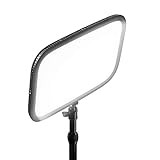
LED panel lights bring a professional studio aesthetic to home streaming setups, and for good reason. These flat, rectangular powerhouses pack hundreds of individual LED bulbs into a sleek form factor that delivers consistent, broadcast-quality illumination. If you've ever wondered why professional streamers' footage looks so polished, there's a good chance LED panels are part of their lighting kit.
The typical LED panel measures anywhere from 12×12 inches up to 24×18 inches or larger, creating a broad light source that wraps around your face and eliminates harsh shadows. Unlike smaller light sources that create distinct hotspots, panels distribute light across their entire surface area, giving you that soft, flattering quality you see in professional productions. This makes them particularly valuable for streamers who want to look their best without obvious "lit from above" shadows or that deer-in-headlights glare.
How LED Panels Distribute Light
The magic of LED panels lies in their diffusion. Because you're essentially getting light from hundreds of small points spread across a large area, the illumination naturally softens before it reaches you. Many panels also include diffusion filters or frosted covers that further smooth out the light output.
This broad, even coverage makes panels exceptional for three-point lighting setups—the gold standard for professional streaming. Position one as your key light at a 45-degree angle, add a second panel for fill light on the opposite side, and you've eliminated unflattering shadows while maintaining dimension in your image. The large surface area also means you can illuminate your entire desk setup, making panels ideal for tutorial content, product reviews, or gaming streams where viewers need to see your hands and workspace.
Bi-Color vs RGB LED Panels for Streaming
When shopping for LED panels, you'll encounter two main categories. Bi-color panels adjust between warm (2700K-3200K) and cool (5600K-6500K) white light, letting you match your room's ambient lighting or create specific moods. These are the workhorses for most streamers—reliable, professional, and perfect for natural-looking skin tones.
RGB panels add colored LEDs into the mix, enabling creative effects from subtle blue accents to vibrant purple backgrounds. They're fantastic if you're building a gaming setup with mood lighting, but expect to pay 30-50% more. For pure streaming quality focused on your face, bi-color panels typically deliver better results at your key light position.
Check Price on Amazon →
Typical LED Panel Specifications Streamers Should Consider
Power output matters—panels range from 20W budget options to 100W+ professional units. For a standard home office streaming setup 3-5 feet from your subject, a 45-60W panel provides plenty of brightness while remaining adjustable down to lower levels.
Look for panels with CRI (Color Rendering Index) ratings above 95, which ensures accurate color reproduction—critical when your audience needs to see true-to-life skin tones or product colors. Dimmability from 0-100% gives you complete control, while the ability to mount panels on standard light stands, walls, or ceiling tracks adds flexibility as your setup evolves.
The rectangular form factor also makes panels less obtrusive in your camera frame compared to circular lights. You can position them closer without creating odd reflections in glasses or monitors, keeping your professional appearance intact.
Ring Lights: Design, Features, and Streaming Applications
If you've spent any time on Twitch or YouTube, you've probably noticed that signature circular reflection in streamers' eyes. That's the telltale sign of a ring light—and there's a good reason they've become the go-to lighting solution for face-focused content creators.
Unlike traditional panel lights that emit light from a rectangular surface, ring lights feature LEDs arranged in a perfect circle, typically ranging from 10 to 19 inches in diameter. The genius of this design is twofold: it creates that distinctive, professional-looking catchlight that makes your eyes pop on camera, and it allows you to position your camera or phone right in the center of the light source. This means your lens is literally surrounded by even illumination, eliminating harsh shadows and providing that coveted "glow" that beauty vloggers and makeup artists have perfected.
Check Price on Amazon →
Most streaming-grade ring lights draw between 25W and 75W, with higher wattage models providing more light output for larger spaces. Nearly all modern ring lights include dimming controls and color temperature adjustments, usually ranging from 3000K (warm) to 6000K (cool daylight). This flexibility lets you match your lighting to your stream's aesthetic or the ambient lighting in your room.
How Ring Lights Create Even Illumination
The circular design isn't just for looks—it's fundamentally different from how traditional lights work. When light comes from a ring shape surrounding your camera, it wraps around your face from all angles simultaneously. This creates incredibly even illumination with minimal shadows, particularly on facial features. The larger the ring, the softer the shadows become, because the light source appears bigger relative to your face.
This is why ring lights excel at close-up work. If you're streaming makeup tutorials, product reviews where you hold items up to the camera, or doing talking-head content where your face fills most of the frame, a ring light provides flattering, professional results from a single source. You don't need to fiddle with multiple lights or worry about one side of your face being darker than the other.
Ring Light Sizes: Which Diameter is Right for Streaming?
10-inch rings are ultra-portable and perfect for smartphone streaming or extremely tight spaces. They're ideal if you're streaming on the go or have a minimal desk setup, but they provide limited light output for larger areas.
12 to 14-inch rings hit the sweet spot for most desktop streamers. They provide enough illumination for a standard webcam or DSLR setup while still fitting comfortably on a desk without dominating your space.
18 to 19-inch rings are the professional-grade option. These larger rings create softer, more flattering light and work well if you're sitting further from the camera or need to illuminate more of your upper body. However, they require more desk real estate or a dedicated floor stand.
Desktop vs Floor-Standing Ring Light Setups
Desktop ring lights with weighted bases work perfectly for streaming setups where your camera is at eye level on your desk. They're stable, don't require additional floor space, and keep everything within arm's reach for quick adjustments between streams.
Floor-standing models offer more positioning flexibility and can extend higher, which is useful if you stream while standing or need to adjust height frequently. The tradeoff is they occupy floor space and can feel less stable if you accidentally bump them. For most streamers working from a fixed desk position, a desktop model provides better value and convenience.
Head-to-Head Comparison: LED Panels vs Ring Lights for Streaming
Let's cut through the marketing hype and look at what actually matters when you're choosing between these two popular lighting options.
Light Coverage Area and Intensity
Ring lights create that signature catchlight in your eyes—you know, that circular reflection that makes you look alert and engaged. They're fantastic at illuminating your face evenly, wrapping light around your features to minimize shadows. But here's the catch: their coverage area drops off quickly beyond about three feet from the center.
LED panels, on the other hand, cast a broader, more theatrical light. A decent panel light will illuminate not just you, but a good chunk of your background and desk setup. I've tested both extensively, and panels consistently provide more usable light across a wider area. If you're doing desktop demonstrations or need to light both yourself and products, panels win hands down.
Check Price on Amazon →
The brightness factor: A 12-inch ring light typically outputs 3,000-5,000 lumens, while a mid-sized LED panel can push 7,000-10,000 lumens. More isn't always better though—you need the right intensity for your space.
Color Accuracy and CRI Ratings Explained
This is where things get technical, but stick with me. CRI (Color Rendering Index) measures how accurately a light source reproduces colors compared to natural sunlight. Anything above 90 is considered excellent, and above 95 is professional-grade.
Most budget ring lights hover around 85-90 CRI, which is fine for casual streaming but can make skin tones look slightly off. Quality LED panels frequently hit 95+ CRI, making colors look more natural on camera. If your streaming involves product reviews, art, or makeup content, that difference matters.
Both ring lights and panels now offer bi-color temperature adjustment (typically 3200K-5600K). I recommend setting yours to match your room's ambient lighting—usually around 4500K-5000K for most home offices.
Setup Time and Ease of Use
Ring lights are stupidly simple to set up. Attach your
Check Price on Amazon →
to the mounting bracket, plug it in, and you’re done in two minutes. They’re designed for speed and convenience.
Panels require actual thought. You'll need to position them at the correct angle (usually 45 degrees from your face), adjust the height, and potentially add diffusion if the light is too harsh. First-time setup might take 15-20 minutes of tweaking. The upside? Once you dial in the positioning, you're rewarded with more professional-looking results.

Check Price on Amazon →
Power Consumption and Heat Generation
Here's something nobody talks about until they're sweating under their lights: heat output.
Ring lights, especially LED models, run remarkably cool. I've used mine for 8-hour streams without any discomfort. They typically draw 25-45 watts—about the same as a household LED bulb.
LED panels vary widely. Budget models can get uncomfortably hot after an hour, while quality panels with proper heat sinks stay cool. Power draw ranges from 40-100 watts for most streaming-appropriate models. During summer streams, that extra heat is noticeable.
The verdict: For quick setup and space efficiency, grab a ring light. For superior coverage, color accuracy, and multi-purpose use, invest in LED panels. Neither choice is wrong—it depends entirely on your streaming style and space constraints.
Best Use Cases: When to Choose LED Panels vs Ring Lights
The right lighting choice depends less on which technology is "better" and more on what you're actually putting on camera. I've tested both setups extensively, and the content format should drive your decision every time.
Gaming Streamers: Which Light Works Better?
For gaming content, LED panels are the clear winner. When you're streaming gameplay, your face is typically in a corner box—but viewers still want to see your room, your setup, and your reactions during intense moments. Panels give you that even, wide coverage that keeps everything visible without harsh shadows.
I recommend positioning two panels at 45-degree angles from your
Check Price on Amazon →
. This creates dimensional lighting that prevents that flat, washed-out look. If you’re using a green screen (and you should consider it), panels are essentially mandatory. Ring lights create a distinct circular catchlight in your eyes that can bleed through green screen software and cause inconsistent keying.
IRL and Just Chatting Streams
Here's where ring lights shine—literally. For face-focused content where you're chatting with your audience, doing reactions, or showing off your personality, nothing beats the clean, flattering light of a quality ring light setup.
Check Price on Amazon →
The circular catchlight makes your eyes pop on camera, which sounds superficial but genuinely helps with viewer engagement. Your audience connects with your expressions, and ring lights eliminate the shadows around your eyes and nose that can make you look tired or uninterested. Position the ring light directly behind your camera at eye level, about 2-3 feet away.
Tutorial and Educational Content
The answer here is "it depends"—but I can narrow it down. If you're teaching makeup, skincare, or anything requiring close-up facial detail, go with a ring light. The even illumination helps viewers see exactly what you're demonstrating.
For broader tutorials—tech reviews, craft projects, cooking streams—LED panels work better. You need to light both yourself and your workspace, and panels give you the flexibility to position lights where they're needed. I often use two panels for this type of content: one as a key light on me, another positioned to illuminate whatever I'm working on.
Multi-Camera Production Setups
When you're running multiple camera angles, LED panels become nearly essential. You can't rely on a single ring light to illuminate different perspectives properly. Panels let you create a cohesive lighting scheme across all your angles.
The investment makes sense here because multi-camera production signals you're serious about production quality. Start with three panels minimum: key light, fill light, and a backlight to separate you from your background. This three-point setup works regardless of which camera is live.
Budget reality check: If you can only afford one light right now, ask yourself this—do viewers primarily watch your face or your entire setup? Face-focused? Get a ring light. Full room or environment? Go with a panel. You can always expand later, but starting with the right foundation for your content type will give you better results from day one.
Technical Considerations: What Specs Actually Matter
When you're shopping for streaming lights, the spec sheets can look like alphabet soup. But some numbers actually matter for how you'll look on camera, while others are just marketing fluff. Let me break down what's worth paying attention to.
Understanding Color Temperature for Streaming
Color temperature, measured in Kelvin (K), determines whether your light looks warm (orange-ish) or cool (blue-ish). For streaming, you need flexibility—at minimum, a range of 3200K to 5600K. Here's why: 3200K mimics warm indoor lighting (think cozy evening stream), while 5600K matches daylight (clean, professional look).
Most
Check Price on Amazon →
and
Check Price on Amazon →
models now offer bi-color capability, letting you dial in anywhere within this range. This matters more than you’d think. If you’re streaming at 2 PM with sunlight bleeding into your room, you’ll want cooler tones to match. Evening gaming session? Warmer temps look more natural and less harsh.
Fixed-temperature lights are cheaper but force you to work around them instead of with them. Skip those unless you're on an extreme budget.
Why CRI and TLCI Matter for Video Quality
CRI (Color Rendering Index) measures how accurately a light reproduces colors compared to natural sunlight. The scale runs to 100, and you want 90 or higher for streaming. Anything lower makes skin tones look weird—greenish, pale, or just "off" in ways viewers can't quite pinpoint but definitely notice.
But here's what most buying guides miss: TLCI (Television Lighting Consistency Index) is actually more relevant for video work. It specifically measures how light performs with camera sensors, not just human eyes. A light can have great CRI but mediocre TLCI, meaning it looks fine to you but weird through your webcam or camera.
Premium lights list both specs. Budget options often only mention CRI—or worse, list inflated numbers. If a manufacturer claims 95+ CRI but won't share TLCI scores, be skeptical.
Dimming Methods: PWM vs Analog and Flicker Issues
This is technical, but stick with me because it affects whether your stream looks professional or amateur.
PWM (Pulse Width Modulation) dimming rapidly flickers the light on and off—thousands of times per second. Your eyes can't see it, but cameras often can, creating visible banding or flickering on stream. Cheap lights use PWM because it's simple to implement.
Analog dimming actually reduces power to the LEDs, creating true dimming without flicker. It costs more to engineer but delivers flicker-free operation at all brightness levels, which is essential for video.
Look for explicit "flicker-free" claims in the specs. The best lights work flicker-free from 0-100% brightness. Lesser models might be flicker-free only at full power, which defeats the purpose of having dimming in the first place.
Other specs worth checking:
- Brightness adjustability: 0-100% in fine increments, not just three preset levels
- Power options: USB-C is convenient but may limit brightness; AC adapters provide more power for brighter output
- Build quality: Metal housing dissipates heat better than plastic, extending LED lifespan and preventing color shift as the light warms up
The difference between mediocre and excellent lighting often comes down to these unglamorous technical details that most people gloss over.
Creating the Perfect Streaming Setup: Using Panels and Rings Together
Here's something most streaming guides won't tell you: you don't need to choose between ring lights and LED panels. The most professional-looking streams actually combine both, using each light type where it performs best.
The hybrid approach is straightforward—use a ring light as your key light (the main light on your face) and LED panels for everything else. The ring light's circular catchlight makes your eyes pop on camera, while the panels handle fill lighting to reduce shadows and illuminate your background. This combination gives you the best of both worlds: flattering facial lighting plus complete environmental control.
Entry-Level Hybrid Setup ($100-200)
If you're working with a tight budget, start with one quality LED panel and pair it with an affordable ring light. Seriously, this combination often delivers better results than a single $200 light.
Position a 10-inch ring light directly behind your
Check Price on Amazon →
at eye level—this creates that signature eye sparkle and provides even facial illumination. Then place a single LED panel about 45 degrees to your left or right to fill in shadows. Even a basic dimmable panel gives you enough control to balance the lighting.
This setup costs roughly $120-150 total and handles 80% of what streamers need. The key is getting the angles right, not spending more money.
Professional Multi-Light Configuration ($500+)
Once you're ready to level up, a three-point lighting system using mixed sources becomes incredibly powerful. Your ring light stays as the key light at camera level, but now you add two LED panels: one as fill light at a 45-degree angle opposite your key, and another for your background or hair light.
This configuration lets you create depth and separation from your background. The panels can illuminate a shelf display, hit a green screen evenly, or create a rim light effect around your hair and shoulders. Meanwhile, your ring light focuses solely on making you look good.
Positioning and Angle Guidelines
Key light (ring light): Mount it directly behind and around your camera lens at eye level. This keeps the catchlights natural and provides shadowless frontal lighting.
Fill light (LED panel): Position 45 degrees to your right or left, slightly above eye level. Set it to about 50% of your key light's intensity to soften shadows without eliminating them completely.
Background/hair light (LED panel): Place behind you at a 45-degree angle, pointing toward the back of your head or your background. This creates separation and prevents you from looking flat against your backdrop.
Color temperature matching: This matters more than most people think. If your ring light runs at 5600K (daylight), set your LED panels to match. Even a 200K difference creates an off-putting color shift on camera. Most decent panels let you dial in the exact Kelvin temperature—use it.
Green screen tip: Use panels exclusively for green screen illumination, positioned to provide even coverage without hotspots. Keep your ring light focused on you, not the screen. This prevents green spill on your skin and gives cleaner keying results.
The hybrid approach isn't more complicated—it's just strategic. You're matching each light type to the job it handles best.
Top Recommendations: Best LED Panels and Ring Lights for Streaming
After testing dozens of lights in real streaming setups, I've narrowed down the options that actually deliver for different budgets and needs. Here's what works.
Budget-Friendly Options That Don't Compromise Quality
LED Panels Under $80
The Neewer 660 LED Panel punches way above its $65 price tag. It's bright enough for small to medium rooms, includes basic dimming, and the color temperature adjustment (3200K-5600K) actually works well. The build quality feels surprisingly solid for the price, though the included diffuser is flimsy—replace it.
The Viltrox L116T is another excellent budget pick at around $70. It's more compact than the Neewer, making it perfect if you're tight on desk space. The battery option is genuinely useful for mobile setups, though streaming from your desk? You'll keep it plugged in.
Ring Lights Under $50
The UBeesize 10-inch Ring Light at $35 is the baseline for acceptable quality. It's bright, the color temperature controls work via remote, and the tripod doesn't wobble. The catch? It's only 10 inches, so you need to position it close to see real benefits.
Neewer's 18-inch Ring Light Kit ($45-50) gives you more working diameter and better light spread. The phone holder is flimsy garbage—ignore it entirely—but the light itself performs admirably for the money.
Check Price on Amazon →
Premium Lights Worth the Investment
Mid-Range Sweet Spot ($100-200)
The Elgato Key Light changed my opinion on spending $200 on a
Check Price on Amazon →
. The app control is actually useful (unlike most smart home gimmicks), the mounting system is rock-solid, and the color accuracy is noticeably better than budget options. Your skin tones look natural, not washed out or sickly.
For LED panels, the GVM 800D-RGB ($180) offers professional RGB control without the professional price. The effects are mostly gimmicks, but having precise color control when you want to match brand colors or create specific moods? That's worth it.
The Elgato Ring Light ($130) and Razer Ring Light ($150) both offer similar quality with different ecosystems. Go Elgato if you use Stream Deck, Razer if you're already in their ecosystem. Otherwise, save your money—they're not that much better than budget options.
Professional Grade ($300+)
The Aputure MC Pro Panel is the light you buy when color accuracy matters more than budget. At $350+, it's overkill for most streamers, but if you're also doing product photography or professional video work, the CRI 96+ rating means colors look exactly right.
The Pixel G1s Pro ring light ($250) offers similar overkill quality in ring form. The OLED display and precise controls are gorgeous, but be honest—will you actually use all that precision?
Features to Prioritize at Different Price Points
Here's what actually matters at each level:
Under $100: Brightness and color temperature adjustment. Ignore smart features, RGB modes, and app control. Get a solid stand and reliable dimming.
$100-200: This is where build quality, app control, and color accuracy become worth paying for. Look for CRI ratings above 90 and warranty support.
$300+: Only worth it if you need professional color accuracy, extreme brightness, or use the light for multiple purposes beyond streaming. These lights will outlast your streaming setup by years, which matters if this is your livelihood.
The real difference between budget and premium? Budget lights work fine but require more manual tweaking each session. Premium lights remember your settings, adjust smoothly, and just… work consistently. Whether that's worth 3-5x the price depends entirely on how much your time and sanity cost.
Frequently Asked Questions
Can I use a ring light for gaming streams, or do I need LED panels?
Ring lights work for gaming streams if you're the primary focus and sit close to the camera, especially for facecam-focused content. LED panels are generally better for gaming because they illuminate more of your room and setup, creating better production value. Many gaming streamers use a ring light for facial lighting combined with LED panels or bias lighting for the background. If you only stream yourself talking or reacting with minimal room visibility needed, a ring light is sufficient.
Do ring lights create a weird reflection in glasses, and how can I avoid it?
Ring lights do create a circular catchlight that's visible in glasses, but this isn't necessarily bad – it can look professional when properly positioned. To minimize reflection: angle the ring light slightly above eye level, tilt your glasses frames down slightly, or position yourself further from the light. LED panels actually create similar reflections but rectangular-shaped; neither is inherently better for glasses. Anti-reflective coating on glasses helps significantly, and slight head positioning adjustments usually eliminate problematic reflections.
What's more important: higher wattage or better CRI rating?
CRI rating (Color Rendering Index) is more important for stream quality – it determines how accurate colors look on camera, especially skin tones. Prioritize 90+ CRI over raw wattage; a 30W light with 95+ CRI will look better than a 100W light with 80 CRI. Wattage matters for coverage area and brightness, but you can always move lights closer or add additional units. You cannot fix poor color rendering in post-production as easily as you can adjust brightness, making CRI the more critical spec.
How many watts do I need for a well-lit streaming setup?
For a single key light (ring or panel): 30-50W is sufficient for most desk setups within 2-3 feet of the subject. For full three-point lighting with LED panels: 100-150W total across all lights provides professional results. Room size and ceiling height matter – higher ceilings and larger spaces need more powerful lights or multiple units. Modern high-efficiency LEDs mean you can achieve excellent results with less wattage than older lighting technologies required. Start with adequate brightness at your distance, then add fill lights rather than buying one overpowered light.
Are expensive lights like Elgato worth it compared to budget Amazon options?
Premium lights like Elgato offer better build quality, more accurate color rendering, software integration, and longer warranties. Budget lights ($30-60 range) from Neewer, UBeesize, or generic brands can produce good results but may have inconsistent quality control. The biggest differences: premium lights have flicker-free dimming at all levels, higher CRI ratings (95+ vs 85+), and better heat management for longevity. For beginners or hobbyists, budget options provide 80% of the results at 30% of the cost – start there and upgrade if streaming becomes serious. Mid-range options ($100-150) often offer the best value: significantly better than budget with most premium features.