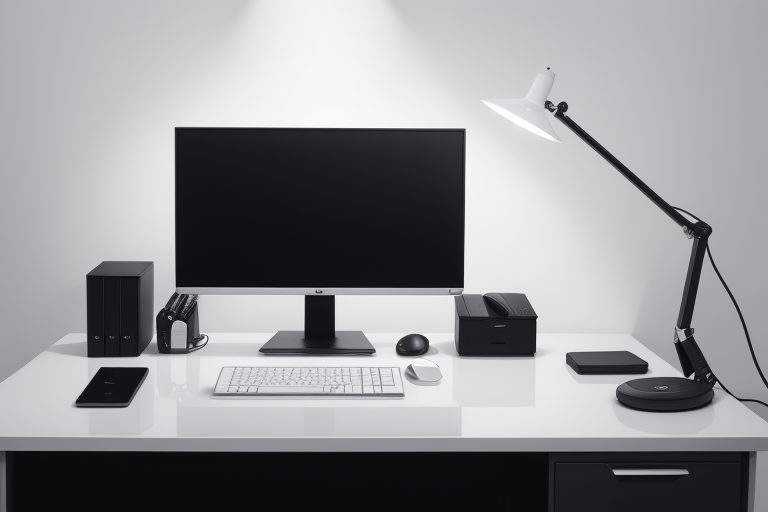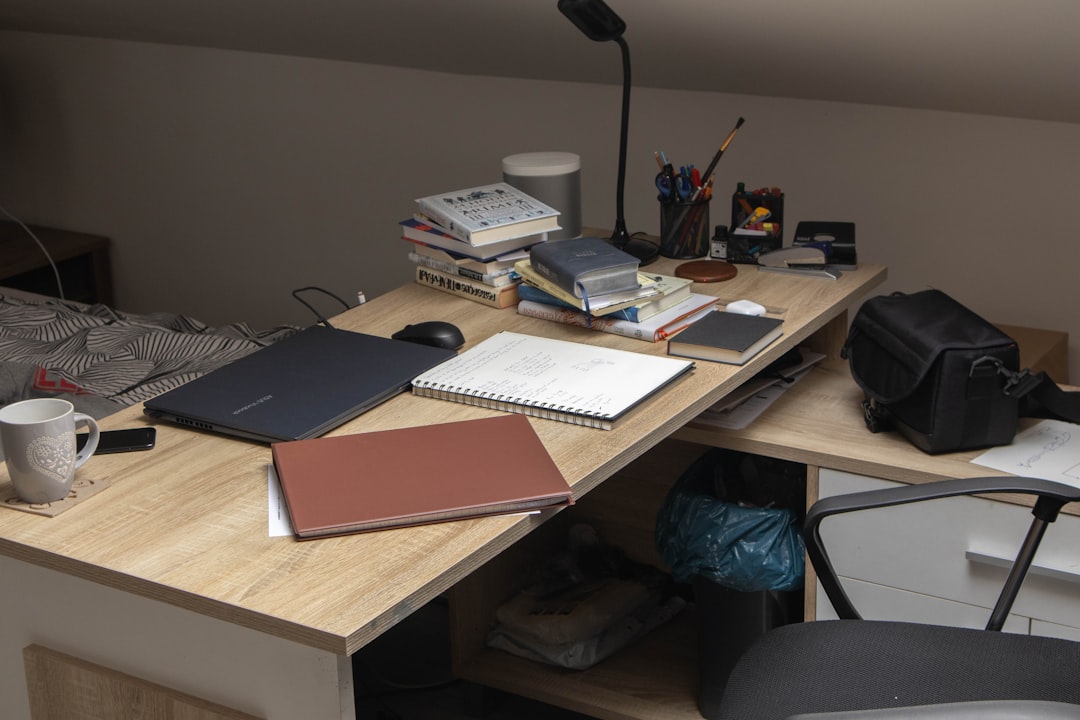
L Shaped Corner Desk for Home Office: Setup Guide 2026
Introduction
That corner in your home office? It's not just empty space—it's untapped potential. While most people shove a filing cabinet or a sad houseplant into the corner, you could be building a productivity powerhouse. An L-shaped corner desk transforms that awkward 90-degree angle into the kind of expansive workspace that makes you actually want to sit down and get things done.
I've tested dozens of desk configurations over the years, from minimalist floating shelves to elaborate standing desk setups, and I keep coming back to L-shaped designs for one simple reason: they just work. You get two full work surfaces that meet at a natural pivot point, creating distinct zones without requiring any extra floor space. It's the spatial equivalent of finding extra hours in your day.
Why L-Shaped Desks Dominate Home Offices
The genius of an L-shaped desk isn't just about square footage—though you typically gain 50-70% more usable surface area compared to a standard rectangular desk. It's about workflow optimization.
Here's what makes them indispensable:
-
Natural work zone separation: One leg for your computer setup, the other for writing, sketching, or spreading out paperwork. Your brain loves this physical distinction between tasks.
-
Multiple monitor heaven: Got a 27" main display and a vertical monitor for code or documents? Maybe a laptop screen plus two externals? L-shaped desks accommodate multi-screen setups without that cramped, neck-craning feeling.

Check Price on Amazon →
-
Corner utilization: That 90-degree junction becomes your hub. Keep frequently-used items within arm's reach while maintaining clean, distinct work surfaces on each leg.
-
Room layout flexibility: Whether your corner is 4×4 feet or 6×6, an L-desk fits snugly without dominating the room or blocking pathways.
Who Should Consider an L-Shaped Setup?
This guide is for you if:
Remote workers who've realized their 48" rectangular desk isn't cutting it anymore. When your dining table becomes your conference room and your notebook has nowhere to live, it's time to upgrade.
Content creators who need space for recording equipment, lighting setups, and editing stations. I've seen photographers use one leg for their editing monitors and the other for reviewing prints—game-changing.
Gamers who want their streaming setup (mic, camera, lighting) separate from their gaming monitors but still within reach.
Anyone juggling multiple projects where you need to keep work visible and accessible. Architects, designers, students writing dissertations, hobbyists building electronics—if you've ever thought "I need another desk," an L-shape is your answer.
What This Guide Covers
I'll walk you through everything you need to make an informed decision: how to measure your space correctly (most people get this wrong), material choices that actually matter for longevity, must-have versus nice-to-have features, and specific desk recommendations across different price points. We'll also cover setup strategies I've learned from optimizing my own workspace and consulting with dozens of remote workers.
By the end, you'll know exactly which L-shaped desk fits your space, workflow, and budget—no guesswork required.
Why L-Shaped Corner Desks Excel in Home Office Setups
I've tested dozens of desk configurations over the years, and L-shaped corner desks consistently solve problems that rectangular desks simply can't. Here's why they've become my go-to recommendation for serious home office setups.
The most obvious advantage is space efficiency. That awkward corner in your spare bedroom or living room? An L-shaped desk turns it into prime real estate. I've measured this countless times: you'll typically gain 30-50% more usable surface area compared to a rectangular desk with the same room footprint. Instead of dead space collecting dust, you have a legitimate workstation.
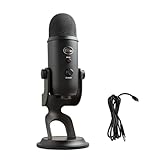
But the real game-changer is having dual workspace zones. On one side, I keep my primary monitor and keyboard for computer work. The perpendicular section handles everything else—notebooks, sketches, my
Check Price on Amazon →
setup for recording reviews, or spreading out product manuals. This physical separation does wonders for mental clarity. When I pivot my chair 90 degrees, I’m literally changing contexts, which helps me shift between focused screen time and more creative, hands-on tasks.
The cable management situation also improves dramatically. With a corner desk, your power source is typically right behind the junction point. This means shorter cable runs and easier organization with a simple

Check Price on Amazon →
solution tucked in the corner. Compare this to a rectangular desk where cables often snake awkwardly to wall outlets, and you’ll understand why I rarely see cable chaos with L-shaped setups.
Ergonomically, these desks reduce the constant reaching and twisting that plagues single-surface workstations. Everything lives within that comfortable arm's-reach zone. Your printer on one side, reference materials on the other, main work in front—no more swivel-chair gymnastics.
There's also the visual presence factor. During video calls, an L-shaped desk creates natural depth and dimension in your background. It looks purposeful and professional, suggesting you take your work seriously without appearing sterile.
The Psychology of Separate Work Zones
Having distinct physical zones matters more than you'd think. When I'm writing reviews on the main section, then physically turn to the secondary surface for product testing notes, it creates a mental reset. This isn't pseudoscience—environmental psychologists call it "context-dependent memory." Your brain associates specific physical spaces with specific tasks, making it easier to focus.
How Corner Placement Affects Room Flow
Here's something I learned the hard way: corner desks actually improve room circulation. By claiming the corner, you free up wall space for bookshelves or filing cabinets. The L-configuration creates a natural "cockpit" that defines your work zone without blocking pathways. In my 10×12 home office, switching from a rectangular desk to an L-shaped setup made the room feel larger because it stopped interrupting sightlines across the space.
The bottom line? If you have a corner and need maximum workspace without cramming your room, an L-shaped desk isn't just a good choice—it's the obvious one.
Measuring Your Space: Getting the Right Fit
I've set up enough L-shaped desks to know that eyeballing the corner of your office is a recipe for disappointment. Trust me—that desk that looks perfect online can become a expensive mistake if you skip the measuring tape.
Start with the standard dimensions. Most L-shaped desks come in three common footprints: 60×60 inches (compact), 66×66 inches (mid-range), and 72×72 inches (spacious). But here's what manufacturers don't tell you: these measurements typically describe the desk's footprint, not the actual space you'll need.
When measuring your corner, grab a tape measure and map out more than just wall length. Check where your baseboards protrude—they can add an inch or more that prevents flush placement. Note outlet locations (you'll need at least one within reach), and measure from the corner to the nearest window frame. I once set up a 72-inch desk only to discover it blocked half a window, turning a bright office into a cave.
Don't forget door swing clearance. Open your door fully and measure how much floor space it sweeps. Your desk shouldn't block entry or force you to shimmy sideways every time someone knocks.
The Chair Movement Rule
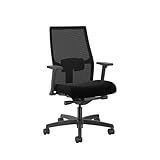
Here's my non-negotiable: leave 36 inches minimum behind your desk for chair movement. This gives you enough room to roll back, stand up without hitting the wall, and actually use your desk drawers. I prefer 42 inches when possible—it makes the space feel less cramped and allows for a comfortable
Check Price on Amazon →
to fully extend.
For wall-mounted desks with shelving or hutches, you'll sacrifice some flexibility but gain storage. Freestanding options give you the freedom to reposition later, which matters if you're still figuring out your ideal layout.
Reversible configurations are clutch for adapting to your space. Most quality L-desks let you mount the return on either side. Before committing, consider which setup places your monitor toward (or away from) windows to minimize glare, and which keeps your dominant hand side free for mouse movement.
Small Space Solutions (Under 60 Inches)
Tight quarters? A 48×48 or 55×55 desk can still give you the L-shaped benefit without overwhelming a bedroom office. Look for models with rounded corners—they feel less imposing and reduce shin-bruising incidents.
Large Office Options (72+ Inches)
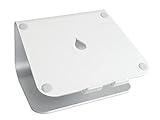
If you've got the room, 72-inch or larger desks provide genuine workspace for multiple monitors, reference materials, and that
Check Price on Amazon →
setup you’ve been planning. Just make sure your room is at least 10×10 feet to avoid furniture domination.
Ceiling Height and Hutch Considerations
Standard hutches add 36-48 inches of vertical height. Measure your ceiling height and subtract 12-18 inches to ensure you're not creating a claustrophobic tunnel. In rooms with ceiling fans or sloped ceilings, skip the hutch entirely.
Pro tip: Before buying anything, create a scale template using painter's tape on your floor. Live with it for a day or two. Walk around it. Roll your chair. You'll quickly discover if traffic patterns work or if you're about to create a furniture obstacle course.
Material and Construction: What Actually Matters
Let me cut through the marketing fluff: the material your L-shaped desk is made from will determine how long it lasts and how much gear it can actually hold. I've tested desks that buckled under dual monitors, and others that could probably support a small car.
Solid wood is the gold standard. A real oak or walnut desk will outlast your career and handle whatever you throw at it—literally. Weight capacity typically ranges from 250-400 lbs per surface, which means your multi-monitor setup,
Check Price on Amazon →
, printer, and coffee collection are all fine. The catch? Expect to spend $600-2000+, and you’ll definitely need help moving it. These things are *heavy*.
Engineered wood (MDF or particleboard) gets a bad rap, but quality matters enormously here. High-density MDF with proper laminate can be surprisingly durable. I've used a well-built MDF desk for three years with zero issues. The problem is cheap particleboard that sags under 100 lbs—you'll know it when you see the price tag under $200. Look for weight ratings of at least 150 lbs per surface, though 200+ is safer if you're running multiple monitors.
Metal frames are where you want to focus your attention regardless of the desktop material. Powder-coated steel legs with cross-bracing handle 300+ lbs without flinching. I particularly like desks that combine metal frames with wood or laminate tops—you get that industrial aesthetic plus serious stability without the full solid-wood price tag.
Glass tops look stunning in photos but require honest consideration. They're incredibly easy to wipe clean (no worrying about coffee rings), but every fingerprint shows. I mean every fingerprint. Tempered glass can handle the weight, but keys, watches, and

Check Price on Amazon →
will eventually leave micro-scratches if you’re not using a

Check Price on Amazon →
. They’re also cold to the touch, which bothers some people.
Laminate finishes are the unsung heroes of desk surfaces. A quality laminate resists scratches, repels moisture, and comes in endless colors and wood-grain patterns. The cheap stuff bubbles and peels, so look for 3D textured laminates at minimum.
Check Price on Amazon →
Leg Stability: What to Look For
Your desk's legs matter more than the surface. Period. Look for:
- Adjustable leveling feet (essential for uneven floors)
- Cross-bracing between legs, not just at corners
- Metal-to-metal connections rather than metal-to-wood
- Leg diameter of at least 2 inches for steel tubes
I've seen beautiful desks wobble because the legs attached with tiny screws into particleboard. It's infuriating.
Surface Finish Durability Testing
When I test desks, I attack them. I drag my laptop across repeatedly, press down with 50+ lbs of force, spill water and let it sit for 30 minutes, then check for bubbling or warping. A quality laminate or sealed wood surface should laugh this off. If the finish dulls, bubbles, or the board swells from brief water exposure, that desk won't survive real office life.
The "150 lbs vs 300 lbs" rating difference? That's the gap between carefully arranged lightweight gear and actual working conditions. Go for 200 lbs minimum, 300 lbs if you're serious about your setup.
Essential Features and Smart Configurations
The best L-shaped desk isn't just about surface area—it's about thoughtful details that eliminate daily frustrations. Here's what actually matters.
Built-in cable management separates amateur setups from professional ones. Look for grommets positioned at the desk's corner junction where most cables naturally converge. Wire trays mounted underneath the desktop work better than channels because you can actually reach them without contorting yourself. I've tested desks with elaborate channel systems that look sleek in photos but become cable graveyards within weeks.
Check Price on Amazon →
Keyboard trays divide the ergonomics community. The truth? They help if your desk height is fixed above 29 inches and you can't adjust your chair high enough. They hinder when they're too shallow (under 19 inches), lack wrist rest space, or prevent you from crossing your legs. Most people are better off with a properly adjusted chair and desk height than fighting with a tray that rattles every time you type.
For monitor placement, integrated stands and hutches look tidy but lock you into one configuration. Separate risers or
Check Price on Amazon →
give you freedom to adjust as your setup evolves. The corner of an L-desk is prime real estate—don’t waste it on a fixed monitor shelf when you might want to pivot your screen orientation later.
Drawer configurations need reality checks. That three-drawer file cabinet? You'll use the top drawer constantly and forget about the bottom two. A single pencil drawer positioned on the return section (the shorter leg of the L) keeps essentials within arm's reach without sacrificing knee space. If you're truly paperless, skip file drawers entirely and opt for a shallow utility drawer instead.

Check Price on Amazon →
Overhead shelving and hutches add storage but can create a claustrophobic cave effect. The rule: if the hutch extends past the desk's corner, it'll feel oppressive. Floating shelves mounted 18-24 inches above the desktop provide storage without looming over you.
Adjustable leveling feet sound boring until you're wrestling with a wobbling desk on old hardwood floors. Good ones adjust at least 0.5 inches and have rubber padding. Non-negotiable feature.
Power integration ranges from gimmicky to genuinely useful. Built-in outlets mounted on the desktop edge beat under-desk power strips you'll never reach. USB-A ports are becoming obsolete—prioritize desks with USB-C if available, or skip integrated power entirely and add your own

Check Price on Amazon →
.
CPU holders (those under-desk cradles) improve airflow and floor space, but verify your tower actually fits. Many holders cap at 8 inches wide, which excludes gaming PCs with chunkier cases.
Gaming-Specific Features
Gamers need deeper surfaces (at least 30 inches) for monitor arms and keyboard positioning. Carbon fiber or textured surfaces handle mouse movement better than glossy finishes. Ignore RGB lighting built into desks—it's typically underwhelming and non-upgradeable.
Creative Professional Needs
Video editors and designers benefit from raised monitor platforms at the corner junction for reference displays. Extra depth on the main section (32+ inches) accommodates drawing tablets or mixing boards without crowding your primary workspace.
Executive vs Minimalist Styles
Executive configurations prioritize symmetry with matching drawer sets on both legs—attractive but spatially inefficient. Minimalist setups maximize open space with single-drawer designs and rely on external storage solutions. Choose based on whether you display status or optimize workflow.
Setting Up Your L-Shaped Desk for Maximum Productivity
The beauty of an L-shaped desk is the real estate—but that extra space becomes a liability if you don't set it up intentionally from day one. I've seen too many gorgeous corner desks devolve into cluttered messes within weeks because people didn't think through their layout.
Start with your dominant hand. If you're right-handed, your mouse work should happen on the right wing of the L. This sounds obvious, but I've watched people fight their desk setup for months because they positioned their primary monitor on the wrong side. Your main screen goes directly in front of where you sit, with your secondary monitor on the wing—this creates a natural viewing angle without constant neck rotation.
Dual Monitor Setup Strategies
Here's what actually works: position your primary monitor at arm's length, top of the screen at or slightly below eye level. Your secondary monitor on the wing should angle inward about 30 degrees. I prefer a slight height difference—the secondary monitor a bit lower—because you're glancing at it, not staring for hours.
Check Price on Amazon →
If you're running a laptop as your main machine, elevate it on the wing and use an external monitor as your primary display. This gives you the ergonomic benefits of a proper monitor while keeping your laptop accessible for video calls.
The Zones Approach
Think of your L-desk in three distinct zones. The corner is your computer zone—keyboard, mouse, primary monitor. One wing becomes your writing/paperwork zone—notepads, documents, a lamp. The other wing is your meeting/creative zone—where you sketch ideas, review printed materials, or angle your laptop for video calls.
This zoning prevents the dreaded "shove everything to one side" syndrome that happens during Zoom calls. You always have clear space ready for whatever task you're switching to.
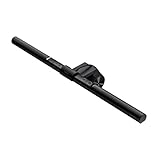
Lighting strategy matters more than you think. Position your desk so windows are perpendicular to your monitors, not behind them. If you're stuck with a window behind your screen, invest in blackout curtains you can adjust throughout the day. For artificial lighting, an adjustable desk lamp on your non-dominant side prevents shadows while you write.
Check Price on Amazon →
Under-Desk Organization Systems
Cable management isn't optional—it's foundational. On day one, before you plug in a single device, install a cable tray under your desk. Route everything through it: power strips, excess cable length, USB hubs. Use velcro ties, not zip ties (you'll thank me when you need to make changes).
The corner area under an L-desk is perfect for a small filing cabinet or CPU holder. This keeps your tower off the floor while maintaining the open leg space you need for ergonomic positioning.
Ergonomic positioning checklist: Your elbows should hang at 90 degrees when typing. Feet flat on the floor or on a footrest. Monitor top at or below eye level. Keyboard directly in front of you, not angled off to one side because your desk layout forced it there.
Finally, personalize strategically. A small plant on the far corner of your wing, a framed photo on the wall above your secondary monitor—but resist filling every surface. That empty space isn't wasted; it's your buffer zone for projects, the place you spread out when you need to think.
Price Ranges and What You Get at Each Level
Let's talk money. L-shaped desks span a wild price range, and understanding what you actually get at each tier will save you from either overpaying or ending up with particle board that starts sagging within six months.
Budget tier ($150-$300): You're looking at engineered wood (particle board or MDF) with laminate finishes. The frames are typically powder-coated steel, though thinner gauge than pricier options. Honestly? These can work fine if you're not loading them down with multiple monitors or you're in a temporary living situation. The main compromises are stability—expect some wobble—and longevity. That particle board doesn't love moisture or heavy weight over time. Best for: students, renters, or anyone testing whether an L-shaped layout works for them before committing serious money.
Mid-range ($300-$700): This is the sweet spot for most home office setups. You'll find thicker desktop materials, better hardware, and actual thought put into cable management. Many desks in this range use commercial-grade particle board or introduce real wood veneers. The metal frames get beefier, adjustable leveling feet become standard, and you start seeing useful additions like keyboard trays or built-in power outlets. The difference in daily experience is real—these desks feel solid when you're typing, and they'll serve you reliably for years.
Check Price on Amazon →
Premium tier ($700-$1500): Now we're talking solid wood or high-end composite materials with professional-grade finishes. The engineering shows—reinforced corners, premium drawer slides with soft-close mechanisms, and frames designed to support serious weight without flexing. You'll often find modular designs that let you configure the desk exactly how you want. These are buy-it-for-life purchases that actually look like furniture, not just "office equipment."
Luxury/Executive ($1500+): Hand-finished hardwoods, customizable dimensions, premium leather desk pads integrated into the design—this tier is about craftsmanship. Some manufacturers offer custom stain matching and bespoke storage solutions. Are they worth it? If your home office is also a showpiece or you video conference constantly with clients, maybe. Otherwise, you're paying for aesthetics over function.
Best Budget Picks That Don't Feel Cheap
Look for desks with steel frames rather than all-wood construction at the budget level—they hold up better. Also, darker finishes hide wear better than those trendy white laminate surfaces that show every scratch.
When Premium Features Are Worth It
The used commercial market deserves attention. Companies liquidating office furniture often sell $1200 desks for $300-400. Inspect the underside for structural damage and test all moving parts. These were built for 40+ hours weekly of abuse, so lightly-used examples are goldmines.
DIY is another route—buy a solid-core door or butcher block countertop and pair it with adjustable legs or filing cabinets. You'll get a custom size and often superior materials for less than mid-range prices. The trade-off? Assembly complexity and no cable management built in.
Check Price on Amazon →
Common Mistakes to Avoid When Choosing an L-Shaped Desk
I've talked to enough frustrated readers who've made expensive desk-buying mistakes that I could write a book. Let me save you the headache—and the cost of return shipping—by walking through the most common pitfalls.
The "It'll Fit… Probably" Disaster
Here's how it usually goes: You find the perfect desk online, the dimensions look reasonable, and you hit buy. Then delivery day arrives, and suddenly you're playing real-life Tetris with a 66-inch desk that blocks your closet door or leaves you exactly four inches to squeeze past.
Measure everything. And I mean everything—the space, your doorways, the turning radius in your hallway, and the area where boxes will need to sit during assembly. I recommend leaving at least 30 inches of clearance around your desk for your chair to move freely. Make a paper template or use painter's tape on the floor to visualize the footprint before ordering.
Underestimating the Assembly Marathon
That "easy assembly" promise? It usually means 2-3 hours for one person, or 60-90 minutes with help. I've assembled dozens of these desks, and the larger ones always take longer than estimated. Plus, you'll need someone to help flip the desktop and hold panels steady.
Block off an afternoon, have a power drill ready (those hand tools they include are terrible), and clear a large workspace. Trust me on this one.
Ignoring Weight Capacity Reality
A desk rated for 150 pounds sounds like plenty until you load it up. Two 27-inch monitors, a
Check Price on Amazon →
, your laptop, keyboard, speakers, and a pile of equipment adds up fast. I’ve seen desks start sagging at the joints within months when people exceed the rated capacity.
Look for desks rated for at least 200 pounds if you're running a multi-monitor setup. The corner area is particularly vulnerable since it's often where the two sections meet.
The Wrong-Handed Configuration
L-shaped desks come in left and right returns, and ordering the wrong one is surprisingly common. Stand where you'll sit and visualize: which side do you want the longer section? Where will your primary monitor go? Where's your window or door?
I learned this the hard way years ago and ended up with my back to the door, which felt uncomfortable for months until I rearranged my entire office.
The Cable Management Nightmare
Desks pushed flush against walls with no grommet holes or cable routing = a tangled mess you'll curse daily. Check for wire management features before buying, not after. You want at least one grommet hole in each section, and ideally, a channel underneath for
Check Price on Amazon →
solutions.
The Wobbly Giant Syndrome
The biggest desk isn't always the best desk. I've tested budget 72-inch behemoths that shake when you type and premium 60-inch models that feel like they're bolted to the floor. Frame construction and cross-bracing matter more than surface area.
Look for metal frames, adjustable leveling feet, and reinforced corner joints. A smaller, rock-solid desk beats a sprawling wobbler every time.
Forgetting You'll Upgrade
That simple laptop setup today might become a full battlestation next year. Consider where additional monitors could go, whether you might add a mic arm or switch to a standing desk converter later. Buying with some headroom prevents the need to upgrade the desk itself within a year or two.
Frequently Asked Questions
What's the ideal size for an L-shaped desk in a small home office?
For rooms under 100 sq ft, look for 48×48 or 55×55 inch configurations. Measure your corner with at least 36 inches of clearance behind the desk for chair movement. Consider desks with minimal footprint like those without built-in drawers to save space. Reversible configurations give you flexibility to optimize for your specific corner.
Do L-shaped desks actually help with productivity or are they just trendy?
The dual-zone setup genuinely reduces task-switching friction by creating physical separation. Studies show reduced repetitive reaching movements compared to single-surface desks. More surface area means less clutter, which correlates with improved focus. The corner position naturally creates a focused 'cockpit' feeling that many find concentrating. However, benefits depend on actually organizing the space into functional zones.
Can I use a standing desk converter with an L-shaped desk?
Yes, but place it on the longer wing for stability and movement room. The desk needs sufficient depth (at least 24 inches) to accommodate the converter base. Weight capacity becomes critical—converters add 30-50 lbs before equipment. Corner placement won't work well; use one wing as standing, other as sitting zone. Some people prefer a separate standing desk rather than converter on L-shaped desk.
How much weight can a typical L-shaped desk really hold?
Budget desks (particleboard): 50-100 lbs per surface, sufficient for laptop and monitor. Mid-range desks: 150-200 lbs per wing, handles dual monitors and equipment. Premium solid wood or metal frame: 300+ lbs, supports heavy multi-monitor setups. Weight distribution matters—concentrate heavy items over support legs. Check manufacturer specs specifically, as 'total weight capacity' can be misleading.
Should I get a left or right return L-shaped desk?
If right-handed, typically place return on right for mouse work on the wing. Consider window placement—you don't want glare on your primary monitor. Door location matters—return shouldn't block entry or create awkward traffic flow. Many desks are reversible, so you can configure either way during assembly. Visualize your daily workflow: which tasks happen where, where will monitors sit.