Computer Speakers with Subwoofer for Desk: 2.1 Guide
Why Desktop Speaker Systems with Subwoofers Beat Soundbars and Standalone Speakers
If you’re choosing between a 2.1 speaker system, a soundbar, or a pair of standalone speakers for your desk, the dedicated subwoofer setup offers some real advantages that matter for everyday use.
The Frequency Separation Advantage
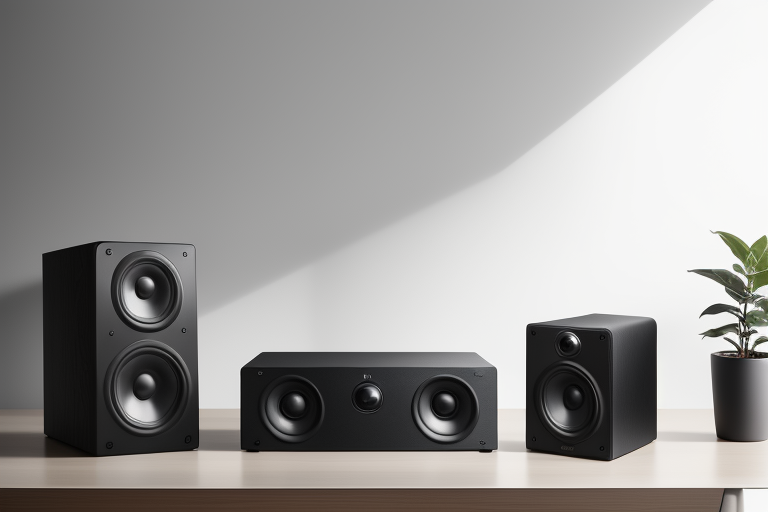
Here’s what makes a proper 2.1 system different: the subwoofer handles all the low-end frequencies (typically 20-200Hz), while your satellite speakers focus exclusively on mids and highs. This division of labor means each component can do its job better.
When you play bass-heavy music or watch an explosion in a movie, those small satellite speakers aren’t struggling to reproduce frequencies they weren’t designed for. Instead, the subwoofer—with its larger driver and dedicated amplifier—delivers clean, punchy bass without distortion. Meanwhile, your satellites reproduce vocals, instruments, and dialogue with clarity because they’re not competing with bass frequencies.
Compare this to a soundbar, where a single enclosure tries to handle everything. Even expensive soundbars with small integrated subwoofers can’t match the physical advantage of a dedicated 8-inch or 10-inch sub driver.
Better Soundstage on Your Desk
A 2.1 system gives you proper stereo separation. Place the satellites on either side of your monitor, and you’ll get accurate left-right imaging—essential if you’re editing audio, gaming competitively, or just want to hear exactly where sounds are coming from in movies.
The Logitech Z623 satellites, for example, can sit 2-3 feet apart on a standard desk, creating a wide soundstage. A soundbar sitting directly under your monitor? That’s essentially mono sound with stereo processing tricks. You lose the genuine spatial separation that makes games immersive and music engaging.

Check Price on Amazon →
Price-to-Performance Reality
This is where 2.1 systems really shine. Quality options like the Edifier R1280DB with a separate subwoofer or the Klipsch ProMedia 2.1 cost $150-250 and deliver powerful, clear audio with genuine low-end extension.
A soundbar with comparable bass response and power output? You’re looking at $400-600 minimum. Products like the Sonos Beam need a separate $750 subwoofer to match the bass of a $200 desktop 2.1 system. That’s a massive price difference for desktop use where you’re sitting 2-3 feet from your speakers.
Practical Desk Setup Benefits
The subwoofer goes under your desk or beside it on the floor. This is actually perfect—you don’t need to see it, and bass frequencies are omnidirectional anyway. You won’t pinpoint where they’re coming from.
This means your desk surface only holds two compact satellites, keeping your workspace clean. Meanwhile, soundbars demand prime real estate directly in front of you, often blocking part of your monitor or forcing awkward placement.
Future Flexibility
Buy the Creative Pebble Plus 2.1 today for $50. Decide you want better satellites next year? Upgrade just those. With the Edifier S350DB, you can replace the subwoofer independently if you want more bass.
Soundbars are all-or-nothing purchases. If the bass disappoints or a satellite fails, you’re replacing the entire system. The modular nature of 2.1 setups means you’re not locked into one manufacturer’s ecosystem, and repairs or upgrades affect only the component that needs attention.