Best Desk Organizer for Multiple Monitors Setup 2026
Understanding Desk Organization Challenges with Multiple Monitors
Setting up dual or triple monitors transforms your productivity, but it also creates a serious desk real estate problem. Those extra screens eat up space fast, and suddenly your once-spacious desk feels cramped and chaotic.
The Space Crunch Reality
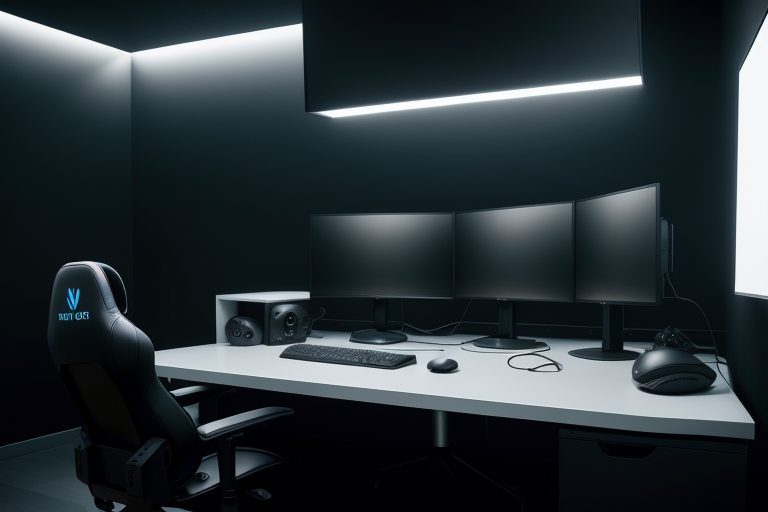
A typical 27-inch monitor with its stand takes up about 24 inches of desk width and 8-10 inches of depth. Add a second or third display, and you’re looking at 4-6 feet of horizontal space committed to just screens. This leaves precious little room for everything else you need within arm’s reach – notebooks, coffee mugs, your phone, desk lamp, and any reference materials you’re actively using.
The depth issue hits harder than most people expect. Monitor stands push displays 8-12 inches back from your desk’s front edge, forcing you to position keyboards and mice in that narrow strip of remaining workspace. If your desk is only 24-30 inches deep (standard for many home office desks), you’re left with barely 12-18 inches of usable surface in front of your screens.
Cable Chaos Multiplied
One monitor means three cables minimum: power, video, and USB (if it has a hub). Triple that for a three-monitor setup, and you’re managing nine cables before adding keyboard, mouse, webcam, speakers, phone charger, and desk lamp cords. These cables don’t just tangle – they take up space along your desk’s back edge where you might otherwise place shallow organizers or push items for temporary storage.
The visual clutter affects your focus more than you’d think. Dangling cables catch on your mouse pad, pull items off your desk, and create constant low-level frustration throughout your workday.
The Storage Accessibility Problem
You need pens, sticky notes, charging cables, and documents handy, but traditional desk organizers don’t play nice with multi-monitor setups. Place a standard organizer between your monitors? It blocks your view and creates an awkward gap in your display lineup. Put it to the side? Now you’re reaching across your keyboard or twisting in your chair dozens of times per day.
Tall organizers that sit behind your monitors might seem like a solution, but they push your screens forward, stealing even more of that critical desk depth and forcing you into poor viewing angles.
Ergonomic Compromises That Hurt
Limited space forces difficult choices. Many people end up with their keyboard positioned too far forward, causing shoulder strain from extended arm reach. Others sacrifice mouse pad space, cramping their movement and killing precision in detailed work.
Document holders become nearly impossible to position correctly. You need them at eye level and within easy view, but with monitors dominating your sightline, where do they go? Flat on the desk means constant neck-down glances. Vertical holders take up precious horizontal space.
The combination of these challenges creates real daily friction. You’re constantly moving things around, reaching awkwardly for items, or simply doing without tools that would make your work easier. A well-planned organization system doesn’t just look better – it eliminates these productivity drains and physical strain points.