Best Mouse Pad for Gaming: Size, Material, and Surface Guide
A mouse pad might seem like the most boring purchase you will ever make, but it is quietly one of the most impactful for anyone who uses a mouse for hours every day. The right pad improves tracking accuracy, reduces friction fatigue, protects your desk surface, and can genuinely improve your aim in competitive games. The wrong one — or worse, no pad at all — means inconsistent tracking, a scratched desk, and a mouse sensor that picks up every imperfection in your surface.
This guide breaks down every factor that matters: material, size, surface texture, thickness, and edge finishing. Then we recommend the best pads for gaming, productivity, and every use case in between.
🏆 Our Top Picks
As an Amazon Associate, we earn from qualifying purchases.
As an Amazon Associate, we earn from qualifying purchases.
Why Your Mouse Pad Actually Matters
Modern optical and laser mouse sensors are incredibly precise, tracking at up to 30,000 DPI with sub-millimeter accuracy. But that precision is only as good as the surface underneath. Here is what a proper mouse pad does:

Check Price on Amazon →
- Consistent tracking surface: Mouse sensors need a uniform texture to track accurately. Bare desk surfaces — wood, glass, laminate — have inconsistent textures, glossy spots, and imperfections that cause tracking errors and jitter.
- Controlled friction: A mouse pad gives you predictable resistance. You can choose low friction for fast, sweeping movements or higher friction for precise, controlled movements. Bare surfaces offer random friction that changes depending on where your mouse is.
- Comfort: A padded surface reduces the impact on your wrist during long sessions. This is minor but cumulative — over weeks and months, it adds up.
- Desk protection: Mouse feet will eventually scratch and wear most desk surfaces. A pad protects your desk finish.
- Noise reduction: A cloth pad significantly dampens the sound of mouse movement compared to scraping across a bare desk.

Check Price on Amazon →
For gamers specifically, the difference is even more pronounced. In fast-paced shooters, the consistency of your mouse surface directly affects your ability to build muscle memory for aim. If friction changes based on where your mouse is positioned on the desk, your flick shots and tracking will never be fully consistent.
Check Price on Amazon →
Check Price on Amazon →
Hard vs. Soft vs. Hybrid: The Three Surface Types
Soft (Cloth) Pads
Cloth mouse pads are by far the most popular, and for good reason. They offer a comfortable surface with moderate friction that suits most users and most games. The fabric weave provides enough texture for optical sensors to track flawlessly while offering enough resistance to stop your mouse precisely where you want it.
Pros:
- Comfortable under the wrist and forearm
- Good balance of speed and control
- Quiet mouse movement
- Available in every size
- Affordable — most are under $30
- Easy to roll up for transport
Cons:
- Absorbs moisture from sweat and humidity, which changes friction over time
- Harder to clean — fabric traps dust, oils, and debris
- Surface wears down over months, especially in high-use areas
- Not the fastest surface for low-friction enthusiasts
Cloth pads are the default recommendation for most people. Unless you have a specific reason to go hard or hybrid, start here.
Hard Pads
Hard pads use rigid surfaces like aluminum, glass, plastic, or polycarbonate with a micro-textured coating. They offer the lowest friction of any pad type, allowing the mouse to glide with minimal resistance.
Pros:
- Extremely low friction for fast, effortless movements
- Does not absorb moisture — consistent feel regardless of humidity or sweat
- Very easy to clean — wipe with a damp cloth
- Extremely durable — the surface does not wear down
- Thin profile
Cons:
- Less stopping power — harder to make precise micro-adjustments
- Wears down mouse feet faster than cloth
- No wrist cushioning
- Noisier — mouse scraping on a hard surface is audible
- Can feel cold and uncomfortable in winter
- Limited size options compared to cloth
Hard pads are best for players who use very low mouse sensitivity and make large, sweeping arm movements. They are also excellent for anyone who lives in a humid climate where cloth pads become sluggish from absorbed moisture.
Hybrid Pads
Hybrid pads combine a soft rubber or foam base with a harder surface layer — often a treated fabric, coated plastic, or textured polymer. The goal is to split the difference: more speed than a cloth pad, more control than a hard pad, with some cushioning from the foam base.
Pros:
- Balanced speed and control
- More consistent than cloth in varying humidity
- Some cushioning from the foam base
- Often more durable than pure cloth
Cons:
- More expensive than cloth
- Jack of all trades, master of none — neither the fastest nor the most controlled
- Surface coating can wear off over time
- Fewer options available compared to cloth
Hybrids are a solid choice if you have tried cloth and find it too slow, but hard pads feel too slippery. They are also good for players who switch between games that demand different play styles.
Size Guide: How Big Should Your Mouse Pad Be?
Mouse pad sizes are not standardized, but they generally fall into these categories:
| Size Category | Typical Dimensions | Best For |
|---|---|---|
| Small | 10 x 8 inches (250 x 210mm) | High-sensitivity users, tight desk spaces |
| Medium | 14 x 10 inches (360 x 270mm) | Casual use, moderate sensitivity |
| Large | 18 x 16 inches (450 x 400mm) | Most gamers, low-to-mid sensitivity |
| Extended / XL | 36 x 12 inches (900 x 300mm) | Full desk coverage, keyboard included |
| XXL / Desk Mat | 36 x 18 inches (900 x 450mm) or larger | Full desk coverage, aesthetic |
How to Choose the Right Size
The simplest test: sit at your desk and make the largest mouse movement you would typically make during normal use. If your mouse goes off the edge of the pad, the pad is too small. For gamers, do a full 360-degree turn in your most-played game at your typical sensitivity. Your mouse should not run out of pad space during that motion.
As a general rule:
- High sensitivity (800+ eDPI): Medium is fine
- Medium sensitivity (400-800 eDPI): Large is recommended
- Low sensitivity (under 400 eDPI): Extended or XL is necessary
For productivity users, an extended desk mat is increasingly popular not for the mouse space, but because it looks clean, protects your entire desk, and provides a unified surface for both keyboard and mouse.
Surface Texture: Speed vs. Control
Within each pad type, surface texture varies significantly and determines the friction characteristics.
Speed Surfaces
Tighter weaves, smoother textures, and sometimes coated surfaces that minimize friction. The mouse glides fast and requires minimal force to move. Speed surfaces favor players who make large, sweeping movements and need to reposition their mouse quickly.
Control Surfaces
Rougher weaves, more textured surfaces that provide higher friction. The mouse requires more force to start and stop, but stopping precision is excellent. Control surfaces favor players who need to make fine micro-adjustments and value accuracy over speed.
Balanced Surfaces
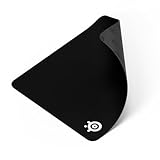
Most popular pads aim for the middle ground — enough speed for comfortable movement, enough control for accurate stopping. If you are not sure what you prefer, start with a balanced surface. Products like the SteelSeries QcK and Logitech G640 are classic examples of balanced cloth pads.
Stitched Edges: A Small Detail That Matters
Stitched edges — a reinforced border sewn around the perimeter of a cloth pad — prevent fraying and extend usable life by months or years. Unstitched cloth pads will eventually fray and peel at the edges, especially on the side closest to your mouse hand.
The only downside is that stitching creates a slightly raised edge that some people find irritating if their wrist rests on it. Most modern stitched edges are low-profile enough that this is a non-issue.
Our recommendation: Always buy stitched. The price difference is negligible and the durability improvement is significant.
Thickness: 2mm, 3mm, 4mm, and Beyond
- 2mm: Thin and firm. Minimal cushioning but the surface stays very flat and consistent. Better for hard, flat desks.
- 3mm: The standard and most popular thickness. Enough cushioning to be comfortable, firm enough that the surface stays consistent. The safe default.
- 4mm and above: Extra cushioning that is noticeably softer under the wrist. Helps compensate for uneven desk surfaces.
For most people, 3mm is the right choice. Go thinner if you prefer a very firm, stable feel. Go thicker if wrist comfort is a priority.
RGB Mouse Pads: Aesthetic or Gimmick?
RGB-lit mouse pads have become surprisingly common. Let us be direct about what they offer:
The case for RGB pads:
- They look cool in a dark room and add atmosphere to gaming setups
- Some include USB passthrough ports
- If your entire setup is RGB-coordinated, a matching pad completes the look
The case against:
- They require a USB connection, adding a cable to your desk
- The LED housing around the edges reduces usable mouse area
- They are harder to clean and cannot be machine washed
- The surface quality is often mediocre compared to non-RGB pads at the same price
- They cost 2 to 3 times more than equivalent non-RGB pads
If you want RGB, go for it. Just know you are paying a premium for lighting and potentially getting a worse mouse surface.
How to Clean Your Mouse Pad
A dirty mouse pad is a slow mouse pad. Over time, oils from your skin, dust, food particles, and general grime build up on the surface and change its friction characteristics.
Cleaning Cloth Pads
- Fill a sink or basin with lukewarm water — not hot, as hot water can damage adhesives and rubber bases
- Add a small amount of mild dish soap or hand soap
- Submerge the pad and gently scrub the surface with your hands or a soft sponge using circular motions
- Pay extra attention to areas where your wrist and forearm rest
- Rinse thoroughly with clean water until no soap remains
- Gently squeeze out excess water — do not wring or twist
- Lay flat on a towel and air dry completely before using, which can take 12 to 24 hours
Clean your cloth pad every 1 to 3 months depending on use. You will be amazed at how much better it feels afterward.
Cleaning Hard Pads
Wipe with a damp microfiber cloth and a small amount of isopropyl alcohol or glass cleaner. Dry immediately. Takes seconds.
Our Top Mouse Pad Picks by Use Case
| Mouse Pad | Type | Size Options | Surface | Price Range | Best For |
|---|---|---|---|---|---|
| Artisan FX Zero | Hybrid | S, M, L, XL | Balanced | $40-$60 | Competitive FPS gaming |
| Logitech G640 | Cloth | Large (460x400mm) | Balanced | $25-$30 | Best overall value for gaming |
| SteelSeries QcK Heavy | Cloth (6mm) | L, XL, XXL | Control | $15-$30 | Comfort-focused gaming |
| Razer Strider | Hybrid | L, XXL | Speed | $30-$45 | Low-sens arm aimers |
| Corsair MM700 | Cloth + RGB | Extended (930x400mm) | Balanced | $50-$60 | RGB desk mat |
| LTT Northern Lights Desk Pad | Cloth | XL (900x400mm) | Balanced | $30-$35 | Productivity desk mat |
| SkyPAD Glass 3.0 | Glass (Hard) | XL (500x400mm) | Speed | $60-$80 | Ultra-low friction enthusiasts |
Best for Competitive FPS: Artisan FX Zero
The Artisan FX Zero has developed a cult following in the competitive FPS community, and it is well deserved. This Japanese-made hybrid pad uses a foam base with a textured surface layer that delivers an exceptionally consistent glide. The stopping power is precise without being sluggish, and the surface resists humidity changes better than any cloth pad we have tested.
It comes in Soft, Mid, and XSoft base firmness options, letting you fine-tune how much cushion you want. The Mid version is the most popular and best starting point. The only downside is availability — Artisan pads frequently sell out and can be hard to find at retail price.
Why it wins: The most consistent surface feel of any pad we have tested. Competitive players who switch to an Artisan rarely switch back.
Best Overall Value: Logitech G640
The G640 is the boring, reliable choice — and that is exactly why it is great. The cloth surface is well-balanced between speed and control, the rubber base grips desks firmly, and the stitched edges are low-profile. At 460 x 400mm, it is big enough for most sensitivities without being a desk-dominating beast.
It does not have the exotic consistency of the Artisan or the ultra-low friction of glass pads, but it does everything well with no weak points. If you just want a good mouse pad without overthinking it, this is the answer.
Why it wins: Solid in every category, affordable, widely available. The safe recommendation that will not disappoint.
Best for Comfort: SteelSeries QcK Heavy
At 6mm thick, the QcK Heavy provides noticeably more wrist cushioning than standard 3mm pads. The surface is a classic control-oriented cloth weave that favors precision over speed. If you play games that reward careful, deliberate aim, or if you simply want your desk to feel less like a desk during long work sessions, the extra thickness is a real comfort improvement.
The non-slip rubber base is among the best — this pad does not budge. Available in large, XL, and XXL sizes.
Why it wins: The most comfortable mouse pad for long sessions. The 6mm thickness makes a bigger difference than you would expect.
Best Hybrid Speed Pad: Razer Strider
The Strider combines a woven surface with a harder texture coating that delivers noticeably more speed than traditional cloth. It resists humidity exceptionally well — no more sluggish feel on sweaty summer days. The surface is smooth and fast with enough micro-texture for reliable sensor tracking.
Available in large and XXL desk mat sizes. The anti-slip base is good and the stitched edges are well-finished.
Why it wins: The best entry point into hybrid pads. Fast, consistent, humidity-resistant, and not overpriced.
Best RGB Pad: Corsair MM700
If you want RGB lighting on your desk pad, the MM700 is the one to get. The LED strip around the perimeter is bright and well-diffused, integrating with Corsair iCUE software for full color customization. The cloth surface is a decent balanced weave, and at 930 x 400mm, it covers most desks. It includes a USB passthrough port, which is genuinely useful.
Why it wins: The best-implemented RGB desk pad. If you want the lights, get this one.
Best Desk Mat for Productivity: LTT Northern Lights Desk Pad
The Northern Lights pad uses a smooth, dense cloth weave that works well for both mouse use and as a comfortable surface for typing. The surface resists staining better than most cloth pads, and the stitched edges are tight and low-profile. At 900 x 400mm, it covers the full keyboard and mouse area. The designs are tasteful rather than gaudy.
Why it wins: Best combination of aesthetics, build quality, and surface performance for a productivity desk mat.
Best Hard Pad: SkyPAD Glass 3.0
The SkyPAD Glass 3.0 is for people who want the absolute lowest friction possible. The tempered glass surface is incredibly smooth — your mouse glides with near-zero resistance. This is not for everyone, and most people will find it too slippery at first. But for low-sensitivity players who make huge arm sweeps, the effortless glide reduces fatigue.
It never wears out, never absorbs moisture, and cleans in seconds. At $60 to $80 it is expensive, but it will last essentially forever.
Why it wins: The fastest surface available. Nothing else competes for maximum speed with zero friction variability.
Mouse Pad Maintenance Tips
Rotate Your Pad
If you notice the area under your mouse feeling different from the rest, rotate the pad 180 degrees. This distributes wear more evenly.
Keep Your Mouse Feet Clean
Dirty mouse feet transfer grime to your pad. Periodically wipe the bottom of your mouse with a slightly damp cloth.
Replace When Necessary
Cloth pads are consumable items. If cleaning no longer restores the original feel, or if you see visible wear spots, it is time for a new one. Most cloth pads last 6 to 18 months depending on usage. Hard pads and glass pads last essentially forever.
Avoid Direct Sunlight
Prolonged UV exposure can fade printed designs and degrade rubber bases. Position the pad away from direct light if possible.
Final Thoughts
The best mouse pad is the one that matches your sensitivity, play style, and personal preference for surface feel. If you are starting from scratch, grab a Logitech G640 or SteelSeries QcK — they are affordable, well-made, and will give you a reference point for what a proper mouse surface feels like. If you already know you want more speed, go hybrid or hard. If you want more control, stick with cloth and lean toward rougher weaves.
And clean your pad regularly. Seriously. It makes more difference than any upgrade you could buy.